Why Yahoo Is Blocking Your Emails And How To Fix “Sender Is Unauthenticated”?

Quick Answer
The reason behind this message is simple: your outgoing message isn’t authenticated, and Yahoo cannot confirm if the email genuinely came from your domain. To protect its users against phishing and spoofing attacks, Yahoo blocks unauthenticated senders. This means that if your email fails SPF or DKIM checks, Yahoo may consider it suspicious and block it before it reaches the recipient’s inbox.

Download file | Play in new window | Duration: 2:01 | Recorded on April 14, 2026
Have you recently tried sending an email to a Yahoo subscriber and received an error message saying “550 5.7.9 This mail has been blocked because the sender is unauthenticated. Yahoo requires all senders to authenticate with either SPF or DKIM.”?
The reason behind this message is simple: your outgoing message isn’t authenticated, and Yahoo cannot confirm if the email genuinely came from your domain.
To protect its users against phishing and spoofing attacks, Yahoo blocks unauthenticated senders. This means that if your email fails SPF or DKIM checks, Yahoo may consider it suspicious and block it before it reaches the recipient’s inbox.
In fact, Yahoo has become much stricter about email authentication since 2024. Along with Google, Yahoo introduced new sender requirements that make SPF, DKIM, and DMARC mandatory for email delivery, especially for bulk senders. So, if your domain does not meet these requirements, Yahoo will likely reject your email, block it, or push it to the recipient’s spam folder.
In this article, we will understand why exactly your outgoing emails aren’t reaching Yahoo subscribers and how you can fix the issue.
What does the error message even mean?
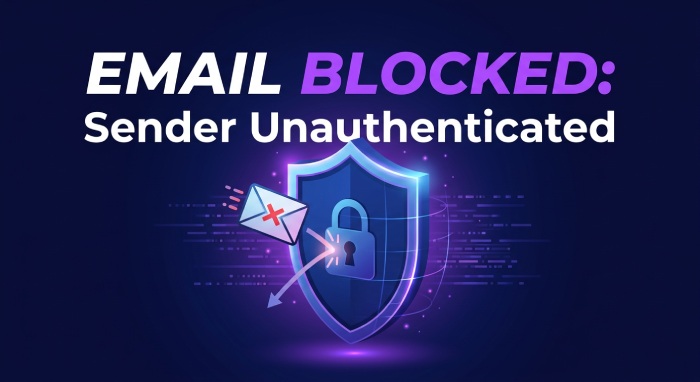
When you receive “sender is unauthenticated” for your outgoing emails, Yahoo is simply trying to say that it cannot confirm if you are truly the sender of the email.
Before Yahoo accepts any email and delivers it to the recipient’s inbox, it first checks its legitimacy. It does so by running authentication checks, specifically looking for your SPF and DKIM records in your DNS.
SPF tells Yahoo which servers are allowed to send emails on behalf of your domain, and if the email comes from one of those listed servers, it is likely to deliver it to the recipient’s inbox. But if the email is sent from a server that is not listed in your SPF record, Yahoo may see the email as suspicious.
After checking the legitimacy of the email, Yahoo goes on to check its authenticity by running a DKIM check. DKIM adds a digital signature to your email, which Yahoo verifies using the public key published in your DNS. If the signature is valid, Yahoo can confirm that the email genuinely came from your domain and that the message was not modified after it was sent. But, if the DKIM signature is missing or if the DKIM signature does not match the public key published in your DNS, Yahoo may fail the email authentication check.
Apart from this, if your organization sends more than 5000 emails per day, Yahoo also expects you to have DMARC configured for your sending domain.
DMARC ties both SPF and DKIM together and tells Yahoo what to do if an email fails either of these checks. For instance, you can tell Yahoo to only monitor failed emails, send them to spam, or reject them completely. Our DMARC report analyzer helps you read the reports Yahoo and others send back.
<img src=“https://media.mailhop.org/autospf/images/2026/04/spf-flatterning-5170.jpg” alt=“The Email Authentication Trio"" width=“700” height=“382” loading=“lazy” />
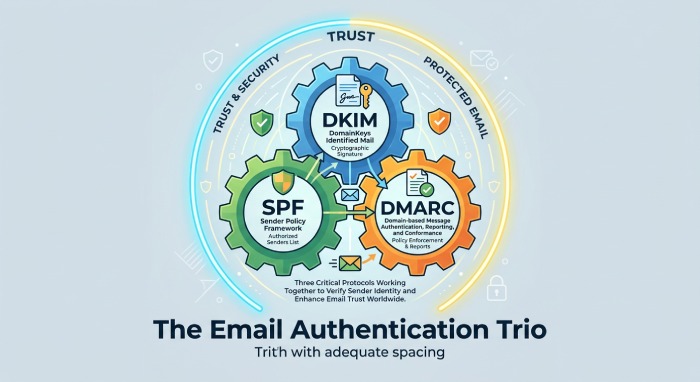
Since 2024, Yahoo has required bulk senders to have SPF, DKIM, and at least a basic DMARC policy in place. If you do not comply with this requirement, Yahoo might send your emails to spam or block them from reaching the recipients’ inboxes altogether.
Why is Yahoo blocking unauthenticated emails?
Back in 2023, major email service providers like Yahoo and Google released a set of sending requirements, which made it mandatory for bulk email senders to properly authenticate their emails using SPF, DKIM, and DMARC.
The deadline to meet these requirements was February 2024. Since then, Yahoo has become much stricter about email authentication and may block, reject, or send emails to spam if they do not meet these standards.
How can you fix the “sender is unauthenticated” issue?
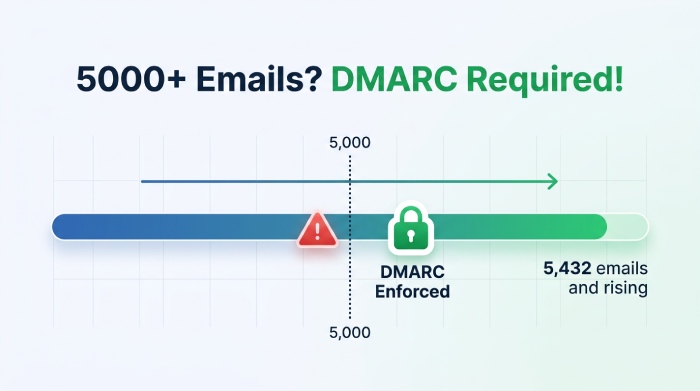
The only way to ensure that Yahoo does not block your emails anymore is to comply with its latest sending requirements. This means making sure that your domain has valid SPF and DKIM records in place. If you send more than 5000 emails in a day, you also need to make sure that your sending domain is configured with DMARC.
While you are at it, ensure that:
- Your SPF record includes all the email servers and third-party services that send emails on your behalf
- Your DKIM signature is valid, and the correct public key is published in your DNS
- Your SPF and DKIM records align with your visible From address
- Your DNS records do not contain any syntax errors or outdated entries, and you fix SPF PermError problems from too many lookups
- You add an easy unsubscribe button for your recipients to opt out at their convenience
Once you have implemented these changes, send a few test emails to Yahoo accounts and check whether SPF, DKIM, and DMARC are passing correctly. If everything is in place, Yahoo is less likely to block your emails or send them to spam.
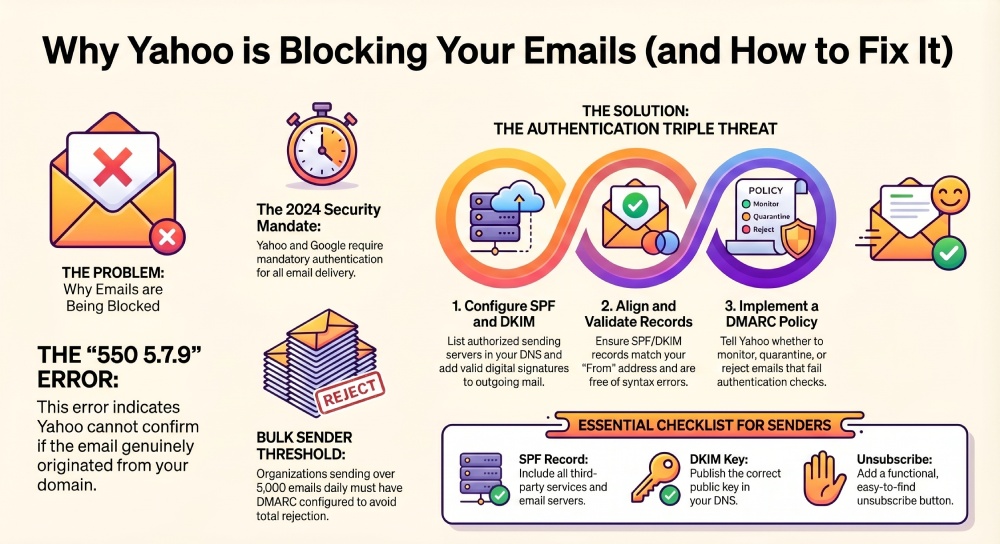
Meeting Google and Yahoo’s sender requirements is not just about ticking a checkbox; it is about proving that your emails are legitimate and safe for recipients to trust. So, if you do not authenticate your emails properly, even your legitimate emails might fail to reach the recipient’s inbox. Tools like AutoSPF help resolve the “sender is unauthenticated” issue by properly configuring SPF records and improving overall email security — see our AutoSPF plans.
If you still haven’t reviewed your SPF, DKIM, and DMARC setup, now is the time to do it before it starts affecting your email deliverability. Reach out to ensure your email authentication setup is configured correctly!
General Manager
General Manager of DuoCircle. Product strategy and commercial lead for AutoSPF's 2,000+ customer base.
LinkedIn Profile →