Are Your SPF and DKIM Identifiers Aligned?

Quick Answer
As you know, DMARC is based on SPF and DKIM, and the alignment of both these protocols is crucial for its processing. Identifier alignment builds a connection between the authentication flow of SPF and DKIM while also dictating the DMARC policy subjected to illegitimate emails sent from your domain.

As you know, DMARC is based on SPF and DKIM, and the alignment of both these protocols is crucial for its processing. Identifier alignment builds a connection between the authentication flow of SPF and DKIM while also dictating the DMARC policy subjected to illegitimate emails sent from your domain.
DKIM (RFC 6376) signs email messages cryptographically, and unlike SPF, the signature survives email forwarding - which is why DMARC alignment via DKIM is more reliable than SPF alignment for forwarded mail and mailing lists.
Learn more in our comprehensive DKIM guide.
The two DMARC alignments, strict and relaxed, determine how stringently your chosen DMARC policy is imposed.
Let’s understand this concept in detail.
Shortcoming of SPF
`SPF has two ‘From’ addresses, one is the envelope ‘From’ address, and the second is the header ‘From’ address. By default, SPF authenticates only the envelope ‘From’ address, which means threat actors can still send emails from your domain using one of the authorized servers with a spoofed header ‘From’ address. Seeing an example SPF record helps clarify how these two addresses relate.
Shortcoming of DKIM
By default, DKIM only authenticates the d= value, which can differ from the domain value in the header ‘From’ address. This means that it doesn’t matter if the ‘From’ field the recipients see differs from what’s been authenticated by DKIM.
What is DMARC alignment?
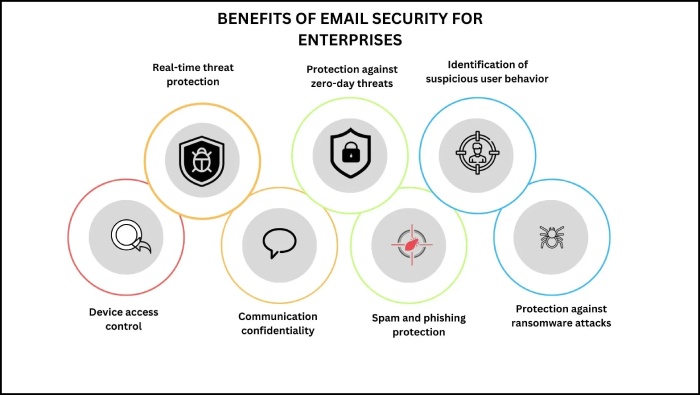
DMARC alignment means that domains under all the sections of an outgoing email’s header should match. A successful DMARC alignment indicates that the message has passed SPF and/or DKIM authentication checks. This process prevents phishing, spoofing, and ransomware attacks emerging from emails. For a deeper dive, see our guide on SPF alignment.
Let’s understand this better.
DMARC is based on the authentication results of SPF and DKIM. DMARC uses central identity, which is the domain found in the ‘From’ header. This domain is seen as the originating domain and is supposed to have your organization’s domain name in it.
When the receiving server gets your email, SPF activates to check its Return Path, whereas DKIM starts validating the encrypted signature. Please note that both these authentication checks are performed independently on two different domains.
Once both the protocols are done with their processes, DMARC takes their results to verify if the domain used in either of them aligns with the ‘From’ domain (the central identity). If either matches, DMARC alignment is achieved.
How Does DMARC alignment modes, strict Compare to relaxed?
There are two DMARC alignment modes, strict and relaxed.
In strict alignment, there should be an exact match between the domain in the ‘From’ address and the one validated by SPF and/or DKIM.
In relaxed alignment, the organizational domains should be the same, even if there is a difference in the subdomains. This is a more preferred alignment mode as it offers a degree of leniency, minimizing the instances of false positives.
Strict DMARC alignment
As mentioned above, it’s more rigid as it demands an exact match between the domains. It’s preferred by companies involving sensitive data like financial and medical information. Many government domains are also subjected to this DMARC alignment only.
However, not many domain owners prefer it because of its inflexibility. It can raise false positives for genuine messages that don’t meet the criteria of exactly matching domains, jeopardizing email communication at multiple levels.
Relaxed DMARC alignment
This one is less strict than its counterpart, allowing messages to pass DMARC checks despite not having an exact match between the domains. This is useful for companies dealing with multiple subdomains or those with a heavy flow of customer support and marketing-based email exchanges.
While this alignment mode reduces the likelihood of false positives, it might let illegitimate emails slip off due to its lenient nature.

Choosing the right DMARC alignment for your domains
Deciding which DMARC alignment mode is best suited for your domain can be warring. You need to consider the complexity of your email infrastructure and tolerance for false positives. And it goes without saying that if you deal with the storage and exchange of sensitive data, strict alignment mode is your savior.
Here is how you can begin-
Set your alignment mode in the DMARC record
Mention the DMARC policy and alignment mode you prefer-
-
For SPF alignment, use the “aspf” tag:
-
aspf=s for strict alignment.
-
aspf=r for relaxed alignment.
-
For DKIM alignment, use the “adkim” tag:
-
adkim=s for strict alignment.
-
adkim=r for relaxed alignment.
How Do You Implement and test your alignment choice?
After updating your DMARC record, monitor the impact. Start with a less restrictive policy (p=none or p=quarantine) to observe email processing without affecting deliverability.
Review DMARC reports to check email alignment and identify issues like legitimate emails failing DMARC due to alignment problems.
If legitimate emails are rejected under strict alignment, switch to relaxed alignment.
If phishing attempts pass under relaxed alignment, tighten to strict alignment.
Keep monitoring and making adequate adjustments
Continuously monitor DMARC reports to ensure your alignment mode is effective. Adjust as your email practices evolve, or new threats emerge.
Use DMARC reports to gain insights into how your domain is being used to send emails and detect spoofing attempts. You may make necessary changes to your SPF record. If your SPF record exceeds the lookup limit during the process, reach out to us to quickly resolve the issue with our SPF Flattening service. You can also consolidate SPF records manually to reduce lookups.
Topics
General Manager
General Manager of DuoCircle. Product strategy and commercial lead for AutoSPF's 2,000+ customer base.
LinkedIn Profile →