What Is Domain Connect Protocol? A Complete Guide to Easier DNS Configuration

Quick Answer
Domain Connect Protocol is a standardized method that automates DNS configuration between domain registrars and service providers. It simplifies domain setup, reduces manual DNS errors, and helps users connect websites, email, and cloud services quickly and securely.
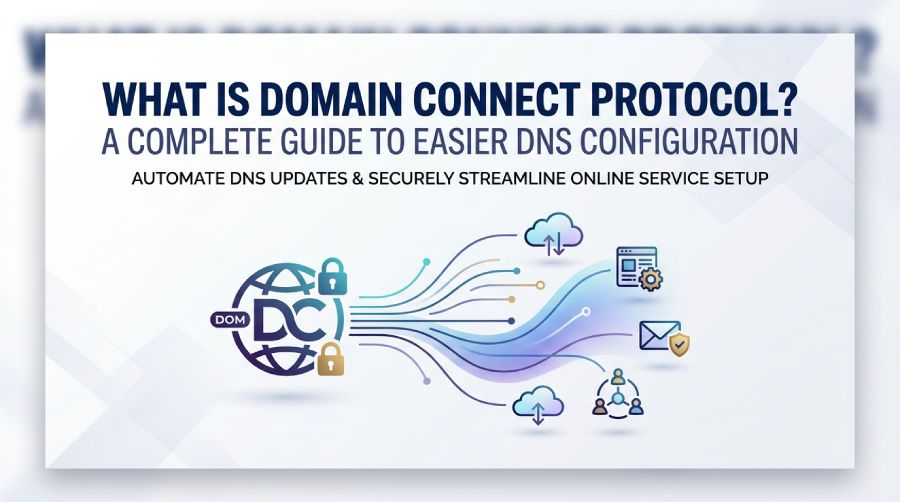
often requires changes to DNS records. For many users, this process can be confusing because it involves logging into a domain registrar, locating the correct DNS management page, and manually adding records such as A, CNAME, TXT, or MX entries. A small mistake can delay service activation or even interrupt existing services.
Domain Connect Protocol was created to simplify this experience. Instead of expecting users to edit DNS records themselves, it allows supported applications to communicate directly with participating domain registrars and guide the DNS configuration process automatically.
This article explains how Domain Connect works, why it was developed, its benefits, limitations, and how businesses can use it to reduce setup errors while deploying online services.
Understanding Domain Connect Protocol
Domain Connect Protocol is an open standard that streamlines DNS configuration between domain registrars and online service providers. Rather than requiring customers to manually create DNS records, the protocol enables supported applications to request the required DNS updates through a standardized workflow.
The result is a faster and more user-friendly setup experience for services such as:
- Website hosting
- Business email
- Cloud applications
- Marketing platforms
- SSL certificate validation
- Collaboration tools
- Domain verification services
Instead of copying DNS values from one interface to another, users simply approve the requested changes through their registrar.
Why Domain Connect Was Developed
Traditional DNS configuration presents several challenges:
- Users must understand different DNS record types.
- Every registrar has a different dashboard.
- Incorrect entries can prevent services from functioning.
- Manual updates increase support requests.
- DNS mistakes may affect websites or email delivery.
Domain Connect addresses these issues by creating a consistent method for applications and registrars to work together, reducing complexity without removing user control.
How Domain Connect Works
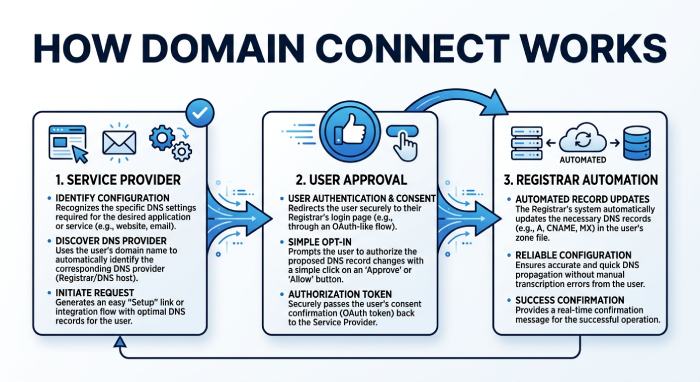 Although the technical process happens behind the scenes, the overall workflow is straightforward.
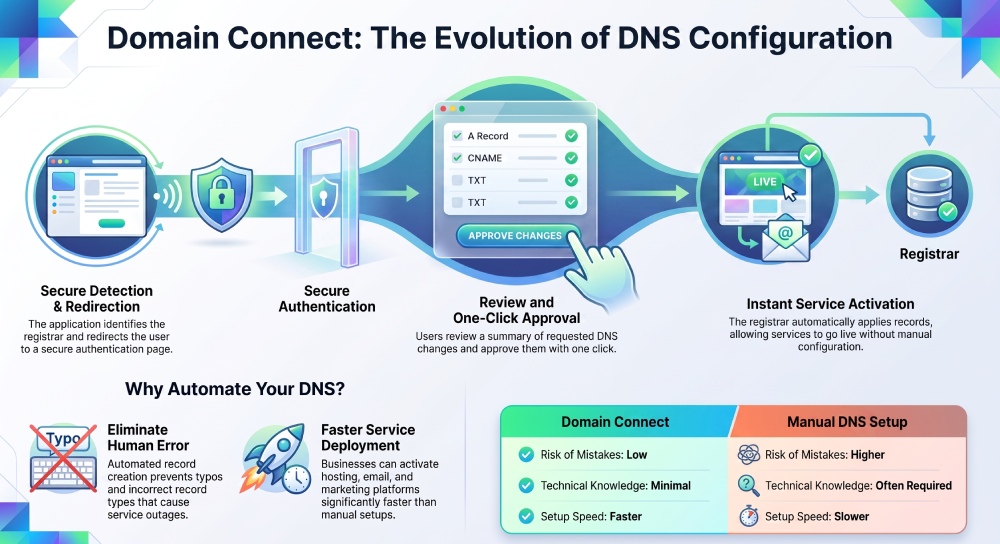
Step 1: Select Your Domain
A user begins setting up a new online service and enters the domain they want to connect.
Step 2: Registrar Detection
The application identifies the domain’s registrar and checks whether it supports Domain Connect.
Step 3: Redirect to the Registrar
The user is directed to the registrar’s secure authentication page.
Step 4: User Authentication
The registrar verifies the account owner before allowing any DNS modifications.
Step 5: Review Requested Changes
Instead of manually entering records, the registrar displays a summary showing exactly which DNS records the application wants to create or update.
Step 6: Approval
The domain owner approves the requested changes.
Step 7: Automatic DNS Configuration
The registrar applies the DNS records automatically.
Step 8: Service Activation
Once DNS propagation completes, the connected service becomes operational without additional manual configuration.
DNS Records That May Be Configured
Depending on the application, Domain Connect can configure various DNS records, including:
- A Records: Direct a domain to an IPv4 server address.
- AAAA Records: Route traffic to servers using IPv6.
- CNAME Records: Alias one hostname to another, commonly used for websites and verification.
- MX Records: Specify the mail servers responsible for receiving email.
- TXT Records: Support domain verification, email authentication, and security-related services.
- SRV Records: Help applications locate specific services within a network.
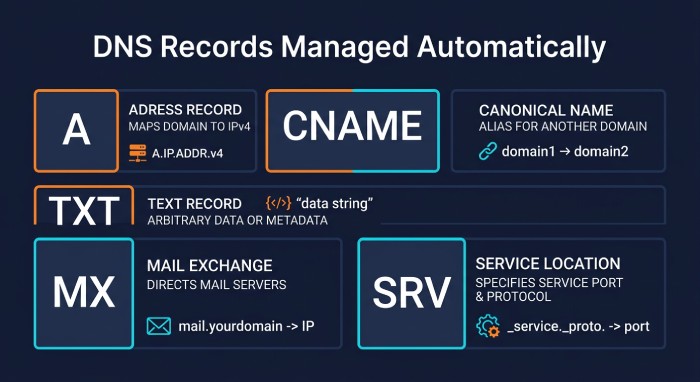 Not every integration requires all record types. The exact records depend on the service being connected.
Benefits of Domain Connect
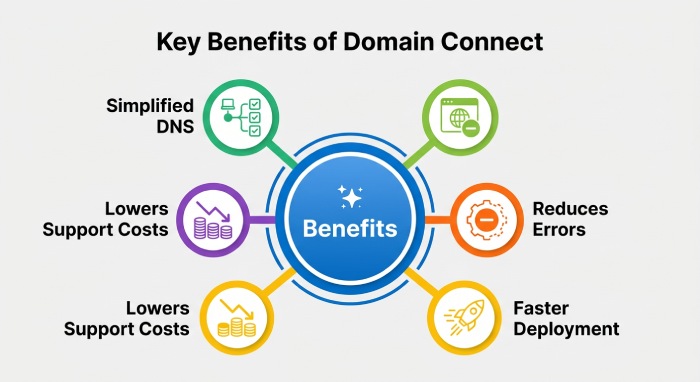
Simplifies DNS Management
Manual DNS editing can be intimidating for non-technical users. Domain Connect replaces this process with a guided setup that minimizes confusion.
Reduces Human Error
Typing mistakes, missing values, or incorrect record types are common causes of configuration failures. Automated record creation significantly reduces these risks.
Faster Service Deployment
Businesses can activate new websites, email platforms, or cloud services more quickly because fewer manual steps are involved.
Improved User Experience
A guided approval process is much easier than navigating unfamiliar DNS management panels.
Lower Support Costs
Service providers often receive support requests related to DNS setup. Automating the process reduces these tickets and improves customer satisfaction.
Consistent Configuration
Applications can request standardized DNS settings regardless of which participating registrar manages the domain.
Common Use Cases
Domain Connect supports a variety of online services.
Website Hosting
Hosting providers can automatically configure DNS records needed to point a domain to a website.
Business Email
Email providers can simplify the addition of mail-related DNS records required for message delivery.
Cloud Productivity Platforms
Organizations connecting collaboration platforms can complete domain verification with fewer manual tasks.
SSL Certificate Validation
Certificate providers can automate validation records used during certificate issuance.
Marketing Platforms
Email marketing and customer engagement platforms often require DNS verification before sending messages on behalf of a domain.
Domain Verification
Many SaaS platforms require proof of domain ownership before enabling services. Domain Connect simplifies this verification process.
Domain Connect and Email Authentication
Many email services require DNS records to verify domain ownership and enable secure email delivery.
These may include:
- SPF records
- DKIM records
- DMARC records
- Verification TXT records
- MX records
Domain Connect helps streamline the deployment of these records by allowing users to approve the required changes instead of manually copying values into DNS. If you would rather build one by hand, our guide on how to create an SPF record walks through each mechanism step by step. You can generate the key for those DKIM records with our DKIM generator.
This approach reduces configuration errors, simplifies deployment, and strengthens email security through better email authentication practices.
Security Considerations
Although Domain Connect simplifies DNS updates, security remains an important part of the process.
User Authorization
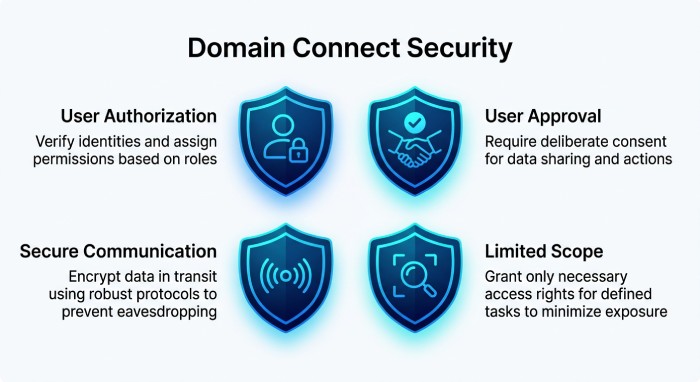 DNS changes require authentication with the domain registrar before modifications are made.
User Approval
Registrars typically display the requested DNS changes, allowing users to review them before granting permission.
Secure Communication
Requests between supported services and registrars use secure communication methods designed to protect data during the configuration process.
Limited Scope
Applications can only request predefined DNS changes supported by the protocol rather than making unrestricted modifications.
Limitations of Domain Connect
Despite its advantages, Domain Connect is not universally available.
- Registrar Support: Only registrars that implement the protocol can participate in automated DNS configuration.
- Service Provider Integration: Applications must also support Domain Connect for automation to work.
- Manual Setup May Still Be Needed: If either the registrar or service provider does not support the protocol, DNS records must still be configured manually.
- DNS Propagation Still Applies: Even after automatic configuration, DNS updates may take time to propagate across the internet.
Domain Connect vs Manual DNS Configuration
| Feature | Domain Connect | Manual DNS Setup |
|---|---|---|
| Ease of setup | High | Moderate to difficult |
| Risk of mistakes | Low | Higher |
| Technical knowledge | Minimal | Often required |
| Time required | Usually shorter | Depends on user experience |
| Guided workflow | Yes | No |
| Record entry | Automatic | Manual |
Best Practices
Organizations using Domain Connect should still follow good DNS management practices.
- Review requested DNS changes before approving them.
- Use strong authentication for registrar accounts.
- Enable multi-factor authentication whenever possible.
- Remove obsolete DNS records after service migrations.
- Regularly audit DNS configurations.
- Keep documentation of domain changes for future reference.
These practices help maintain security while simplifying DNS administration, and for SPF-specific setup questions the AutoSPF FAQ covers the most common scenarios.
Is Domain Connect Right for Your Organization?
Domain Connect is especially valuable for businesses that frequently deploy cloud services or manage multiple domains. By reducing manual DNS work, it helps speed up onboarding, minimizes configuration errors, and provides a more consistent setup experience.
Organizations with dedicated IT teams may still choose to review DNS changes carefully before approval, while smaller businesses benefit from a simpler, guided process that requires less technical expertise.
Conclusion
Managing DNS settings has traditionally been one of the more technical aspects of connecting domains to online services. Domain Connect Protocol addresses this challenge by introducing a standardized method that allows compatible registrars and service providers to automate much of the configuration process.
While it does not eliminate the need for careful DNS management, it significantly reduces manual effort, lowers the chance of errors, and improves the overall experience for both service providers and domain owners. As adoption continues to grow, Domain Connect is becoming an increasingly useful tool for organizations looking to deploy websites, email platforms, and cloud applications more efficiently.
General Manager
General Manager of DuoCircle. Product strategy and commercial lead for AutoSPF's 2,000+ customer base.
LinkedIn Profile →