Spam Whitelist Security Risks: How to Prevent Trusted Sender Spoofing

Quick Answer
Spam whitelist security risks occur when attackers exploit trusted sender lists to deliver spoofed emails. Learn how to prevent trusted sender spoofing by reviewing whitelist rules, implementing SPF, DKIM, and DMARC, and strengthening email security.
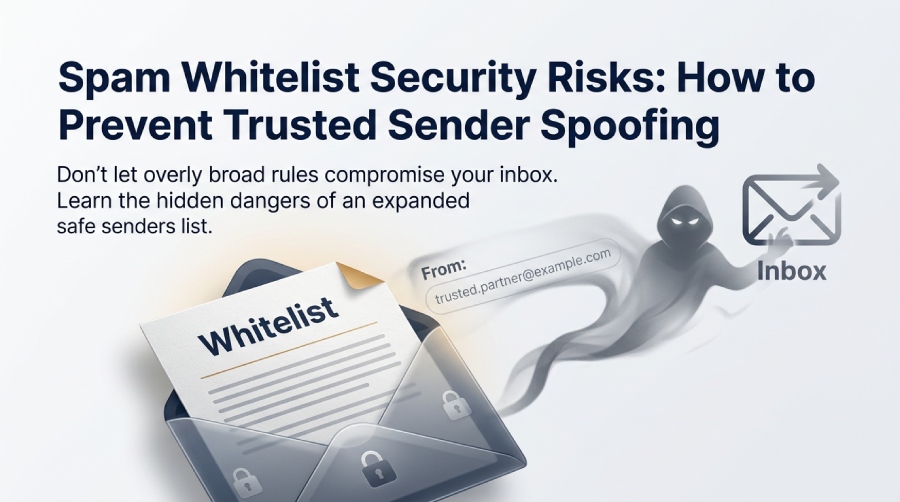
An email whitelist is a list of trusted email addresses, domains, or IP addresses that receive preferential treatment from an email filtering system. Whitelisting can help legitimate messages reach recipients, but overly broad rules may also allow spoofed or malicious emails to bypass important security checks.
Organizations use an email whitelist to improve email deliverability for essential communications such as Account Information Emails, Forgotten Password Emails, Welcome Emails, Newsletter Emails, invoices, security alerts, and internal notifications. For an email marketer, whitelisting can mean the difference between a successful email campaign and a set of missed emails that never reach the email recipient. For employees, adding a partners email address to an approved senders list, safe senders list, address book, or trusted list can reduce friction in daily communication.
Email providers sometimes recommend adding legitimate senders to your contacts or safe senders list when their messages are repeatedly filtered as spam. Although this can improve email delivery for expected communications, users should verify the sender’s identity before creating an allowlist rule. For organizations, maintaining accurate sender policies and properly configuring SPF, DKIM, and DMARC can help support reliable email delivery without relying solely on whitelisting.
The problem is that the same trust mechanism that protects email deliverability can become a security weakness. When an approved sender is over-trusted, an attacker may impersonate that trusted sender and exploit the relaxed controls created by whitelisting.
How Spam Whitelists Work in Email Security Systems
A spam whitelist works by giving preferential treatment to a sender identity. That identity may be an individual email address, an entire domain, an IP address, or a mail server operated by an internet service provider, mail provider, or Email Platform. When a message arrives, the email system checks the sender against the approved senders list, safe senders list, address book, and other filtering rules before deciding whether to deliver the email message to the inbox, quarantine it, place it in the junk folder, or treat it as a blocked message. Effective email security helps protect sensitive information and prevents phishing attacks, email spoofing, and unauthorized access.
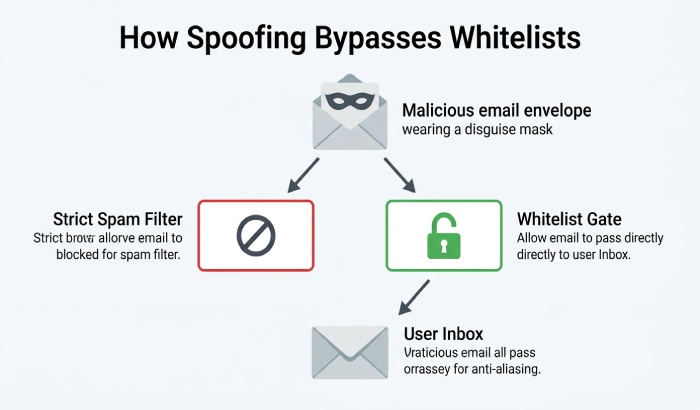
Whitelisting vs. blacklisting in spam filter decisions
Whitelisting and blacklisting are opposite but complementary controls. An email blacklist identifies known bad senders, suspicious domains, or malicious infrastructure. Blacklisting helps a spam filter reject or quarantine unwanted email. By contrast, an email whitelist tells the spam filter that a sender should be treated as acceptable or lower risk.
Most enterprise Spam Filters do not rely on one rule alone. They evaluate email authentication, domain reputation, IP reputation, sender verification, email content, attachment behavior, URL reputation, and prior engagement. Still, a poorly configured approved senders list can override or weaken these protections. If the spam filter assumes that a whitelisted email address is always safe, a spoofed message may pass controls that would otherwise detect risk.
How major email clients handle trusted senders
Major email providers and Email Clients implement whitelisting differently. In Gmail, Google may sort mail into the Primary Tab or Promotions Tab depending on engagement, sender reputation, and content signals. A user can move to inbox, use drag-and-drop from the promotions tab to the primary tab, or create rules that influence future placement.
Email platforms offer different ways to manage trusted senders. Microsoft Outlook provides a Safe Senders List, while Gmail users can create filters to influence how messages are handled. Apple Mail users can organize contacts and use VIP features to prioritize messages. Yahoo Mail also offers filtering options. However, these features do not guarantee that a sender is legitimate or replace SPF, DKIM, and DMARC authentication.
Some email client interfaces also encourage users to download pictures, show images, or always show images from a trusted sender. While convenient, image loading and automatic trust can expose tracking behavior and reinforce misplaced confidence in a forged sender.
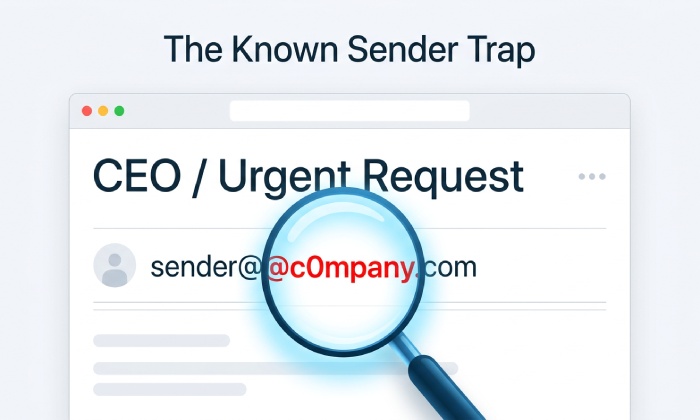
The Hidden Security Risks of Over-Trusting Whitelisted Senders
Whitelisting is useful, but it can create an assumption that known equals safe. That assumption is dangerous. A sender can be known, familiar, and present in the address book while still being compromised, spoofed, or abused.
Deliverability benefits can conflict with security controls
Email whitelisting can improve message delivery, but it should not override essential security checks. When users automatically trust approved senders, attackers may exploit that trust through spoofed addresses, lookalike domains, or compromised accounts. Organizations should review allowlist rules regularly and continue evaluating SPF, DKIM, and DMARC results to reduce the risk of malicious messages reaching employee inboxes.
However, from a security perspective, the same whitelisting behavior can be risky. If users are trained to trust every welcome email, every branded newsletter, or every sender in a safe senders list, attackers can imitate those signals. A message alert that appears to come from a vendor, bank, executive, or SaaS platform may be treated as routine simply because the displayed name resembles an approved sender.
User-level whitelists are often broader than intended
An employee may add a vendors domain to an approved senders list because one legitimate email message landed in the junk folder. Another user may add a sales contact to their address book after one meeting. Over time, the safe senders list expands without review, and the email whitelist becomes a collection of assumptions rather than validated trust.
This is especially risky when a personal email client syncs approved contacts across devices. A sender added in Apple Mail on iOS may influence behavior elsewhere; Outlook settings may sync across Microsoft accounts; Gmail rules may affect mail viewed on Android. The more fragmented the email settings, the easier it becomes for a spoofed email address to evade scrutiny.
What Trusted Sender Spoofing Is and How Attackers Exploit It
Trusted sender spoofing occurs when an attacker makes an email message appear to come from a known person, brand, partner, or domain. The attacker may spoof the visible display name, use a lookalike domain, compromise a real account, or manipulate header information so the email recipient believes the message came from a trusted sender.
Spoofing abuses identity, reputation, and filtering assumptions
A modern spam filter should evaluate Email Authentication technologies such as SPF, DKIM, and DMARC. These controls help verify whether a sending server is authorized to send on behalf of a domain. But many environments still have gaps in sender verification, weak DMARC enforcement, or exceptions in the email whitelist that bypass deeper inspection.
Attackers exploit these gaps by targeting trusted relationships. For example, if a suppliers domain is on the approved senders list, a phishing email may reference invoices, shared files, or payment updates. If a companys HR platform is in the safe senders list, an attacker may send a fake benefits update. If a recognized email marketer or newsletter brand is commonly trusted, the attacker may imitate that style to increase clicks.
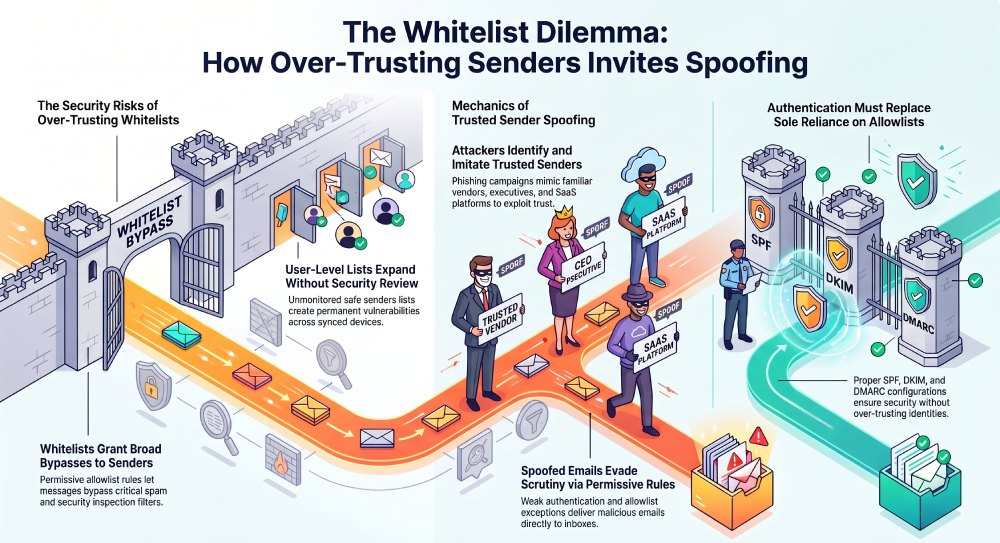
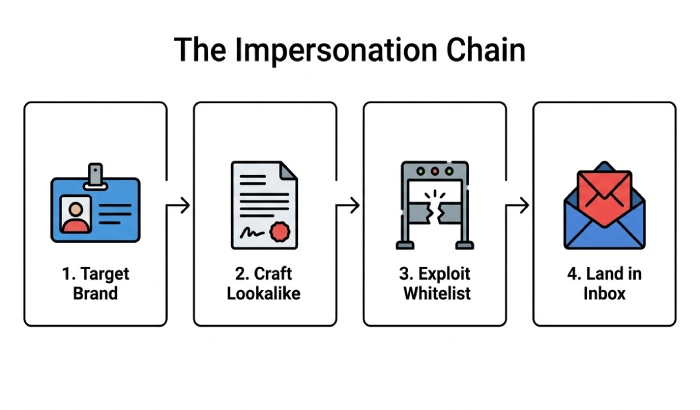
The impersonation chain
Trusted sender spoofing often follows a predictable chain:
- The attacker identifies a brand, executive, vendor, or email address already trusted by the target.
- They craft content that resembles normal email content, including logos, signatures, links, and familiar phrasing.
- They rely on weak email authentication, compromised credentials, or permissive filtering rules.
- They benefit from whitelisting, avoiding aggressive spam filter checks and landing in the inbox instead of the junk folder.
General Manager
General Manager of DuoCircle. Product strategy and commercial lead for AutoSPF's 2,000+ customer base.
LinkedIn Profile →