How to Set Up SPF for Zoho Mail: A Complete Guide to Better Email Authentication

Quick Answer
To set up SPF for Zoho Mail, add the Zoho SPF record to your domain's DNS TXT records, save the changes, and verify the configuration. A properly configured SPF record helps authenticate outgoing emails, reduces spoofing, and improves email deliverability.
If your organization uses Zoho Mail for business communications, setting up Sender Policy Framework (SPF) should be one of the first steps you take to protect your domain. An SPF record tells receiving mail servers which systems are authorized to send emails on your behalf, helping reduce domain spoofing and improve email deliverability.
However, simply publishing an SPF record isn’t always enough. As businesses adopt multiple cloud services, marketing platforms, and support tools, managing SPF records becomes more complex. Misconfigurations can cause legitimate emails to fail authentication or exceed SPF’s technical limits.
This guide explains how to configure SPF for Zoho Mail, avoid common mistakes, and understand how SPF works alongside DKIM and DMARC for stronger email security.
Why SPF Matters for Zoho Mail
Every day, attackers attempt to impersonate trusted businesses by sending fraudulent emails from lookalike or forged domains. Without SPF, receiving mail servers have no reliable way to determine whether an email claiming to come from your domain was actually sent by an authorized system.
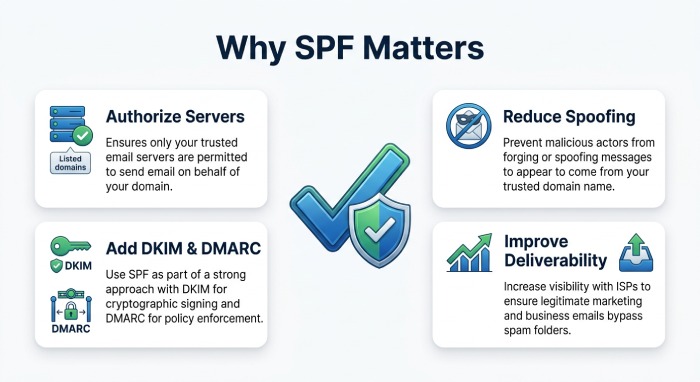
A properly configured SPF record helps:
- Authorize legitimate email servers.
- Reduce domain spoofing attempts.
- Improve email deliverability.
- Increase recipient trust.
- Support a complete email authentication strategy.Although SPF is an essential first layer of protection, it performs best when combined with DKIM and DMARC.
How SPF Works
SPF is a DNS-based authentication standard that lists the mail servers allowed to send email for your domain.
When someone receives an email from your organization, their mail server checks your domain’s SPF record. If the sending server is listed, the SPF check passes. If it isn’t, the message may be flagged as suspicious, sent to spam, or rejected, depending on the recipient’s email policies.
This verification happens before the message reaches the recipient’s inbox, making SPF an important tool for preventing unauthorized senders from impersonating your domain.
Before You Configure SPF
Before updating your DNS records, make sure you:
- Have administrator access to your domain’s DNS.
- Have verified your domain in Zoho Mail.
- Know every service that sends email using your domain.
This last point is especially important. Many businesses send email through more than just Zoho Mail. Marketing platforms, CRM systems, help desk software, payroll applications, and notification services may also send messages using your domain.
Every legitimate sender must be considered when creating your SPF record.
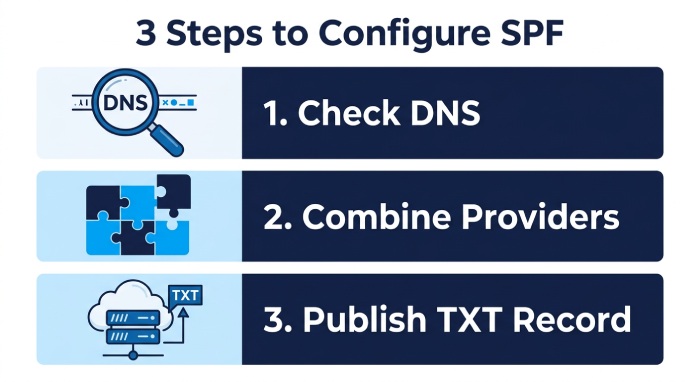
Step 1: Check Whether an SPF Record Already Exists
Before adding anything to DNS, verify whether your domain already has an SPF record.
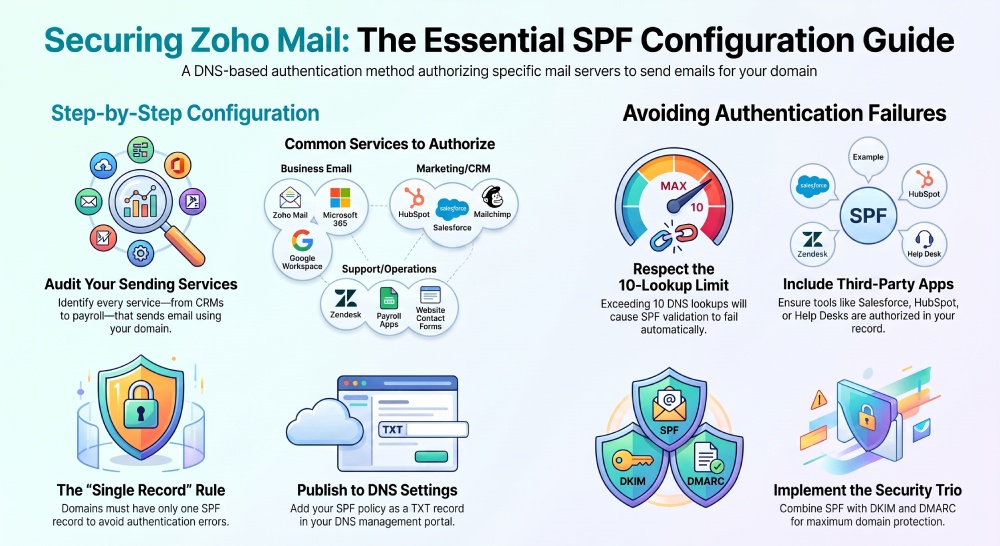
A domain should have only one SPF record.
If another provider has already published one, do not create a second record. Instead, update the existing record to include every authorized email service.
Multiple SPF records frequently cause authentication failures and can reduce email deliverability.
Step 2: Add Zoho Mail to Your SPF Record
If Zoho Mail is your only email provider, publish an SPF TXT record that authorizes Zoho’s mail servers.
If your business also uses services such as Microsoft 365, Google Workspace, Salesforce, HubSpot, or other cloud applications, those services must also be included within the same SPF record.
Rather than creating separate records, combine all authorized senders into one properly formatted SPF policy. Our free SPF record generator can assemble that record for you.
Step 3: Publish the SPF Record
After preparing your SPF policy:
- Log in to your DNS management portal.
- Locate the DNS settings for your domain.
- Create or edit the TXT record used for SPF.
- Save your changes.
- Allow time for DNS propagation.
Propagation times vary depending on your DNS provider, so authentication results may not update immediately.
Common SPF Mistakes to Avoid
Even small configuration errors can reduce the effectiveness of SPF.
Creating Multiple SPF Records
Only one SPF record should exist for a domain. Multiple records usually result in SPF validation errors.
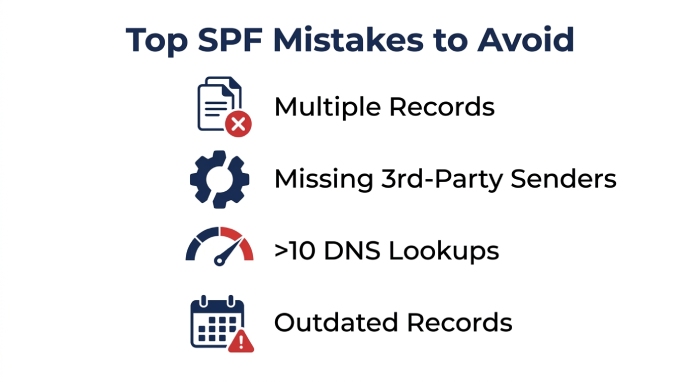
Forgetting Third-Party Email Services
Businesses often overlook applications that send automated emails.
Examples include:
- Marketing automation platforms
- CRM systems
- Help desk software
- Accounting software
- Website contact forms
- Monitoring and alerting services
If these systems aren’t authorized, their emails may fail SPF checks.
Exceeding the DNS Lookup Limit
SPF allows a maximum of 10 DNS lookups during evaluation. If you are unsure how these add up, our guide to what is an SPF lookup breaks it down.
Organizations using several cloud-based email services can easily reach this limit, causing SPF validation to fail even if the record is technically correct. In those cases you can flatten your SPF record to stay under the cap.
Managing lookup counts is one of the biggest long-term challenges of SPF administration.
Outdated SPF Records
Email infrastructure changes over time.
Whenever you introduce a new email platform or retire an existing one, review your SPF record to ensure it still reflects your current sending environment.
Why SPF Management Becomes Difficult
SPF may appear simple initially, but maintaining it becomes increasingly challenging as organizations grow.
A modern business may send email through:
- Zoho Mail
- Microsoft 365
- Google Workspace
- Customer support platforms
- Marketing automation tools
- HR systems
- Security monitoring services
- Transactional email providers
Every additional service introduces new SPF requirements and may increase DNS lookups.
Without regular maintenance, SPF records can become overly complex, difficult to troubleshoot, and more likely to fail authentication.
How AutoSPF Simplifies SPF Management
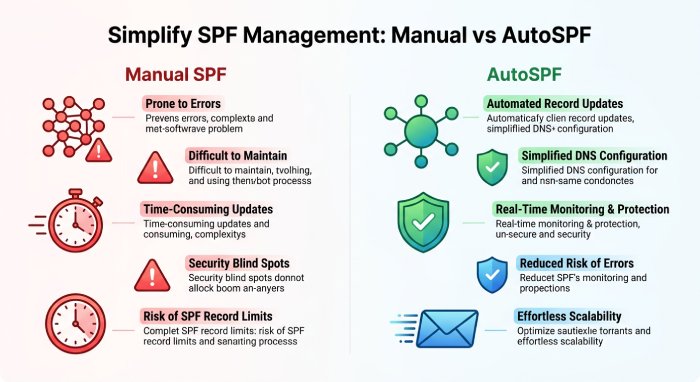 Managing SPF manually can become time-consuming, particularly for organizations that rely on multiple cloud services.
AutoSPF helps streamline SPF administration by making it easier to maintain accurate, optimized SPF records while avoiding common configuration issues.
Instead of manually editing DNS every time your email infrastructure changes, organizations can simplify ongoing SPF management, reduce configuration errors, and keep their authentication records organized.
This helps improve email deliverability while reducing the risk of authentication failures caused by outdated or overly complex SPF policies.
SPF Is Only One Part of Email Authentication
Although SPF is essential, it should not be your only email authentication mechanism.
A complete authentication strategy also includes:
DKIM
DKIM digitally signs outgoing emails so receiving servers can verify that messages haven’t been altered during delivery.
DMARC
DMARC builds on SPF and DKIM by defining how receiving servers should handle emails that fail authentication. It also provides valuable reporting that helps domain owners identify unauthorized senders and monitor authentication performance.
Together, SPF, DKIM, and DMARC provide significantly stronger protection than any single protocol alone.
Best Practices for Zoho Mail SPF Configuration
To maintain an effective SPF implementation:
- Maintain only one SPF record.
- Include every legitimate email service.
- Monitor your SPF record after infrastructure changes.
- Keep DNS lookups within SPF limits.
- Regularly review obsolete mechanisms and includes.
- Implement DKIM and DMARC alongside SPF.
- Periodically test your SPF record to verify that authentication succeeds. You can check your SPF record in seconds with our free tool.
Final Thoughts
Configuring SPF for Zoho Mail is an important step toward improving email security and protecting your domain from spoofing. However, publishing an SPF record is only the beginning. As your organization adopts additional email services, maintaining an accurate and efficient SPF policy becomes increasingly important.
By following SPF best practices, avoiding common configuration mistakes, and keeping your authentication records up to date, you can improve email deliverability and strengthen your organization’s overall email security. Pairing SPF with DKIM and DMARC provides a more comprehensive defense against phishing and domain impersonation while helping legitimate messages reach their intended recipients.
General Manager
Founder and General Manager of DuoCircle. Product strategy and commercial lead for AutoSPF's 2,000+ customer base.
LinkedIn Profile →