How to Set Up SPF for Delivra: Step-by-Step Guide

Quick Answer
Learn how to set up an SPF record for Delivra with this step-by-step guide. Add the correct SPF include mechanism to your domain's DNS, verify the record, and avoid common configuration errors to improve email authentication and maximize email deliverability.
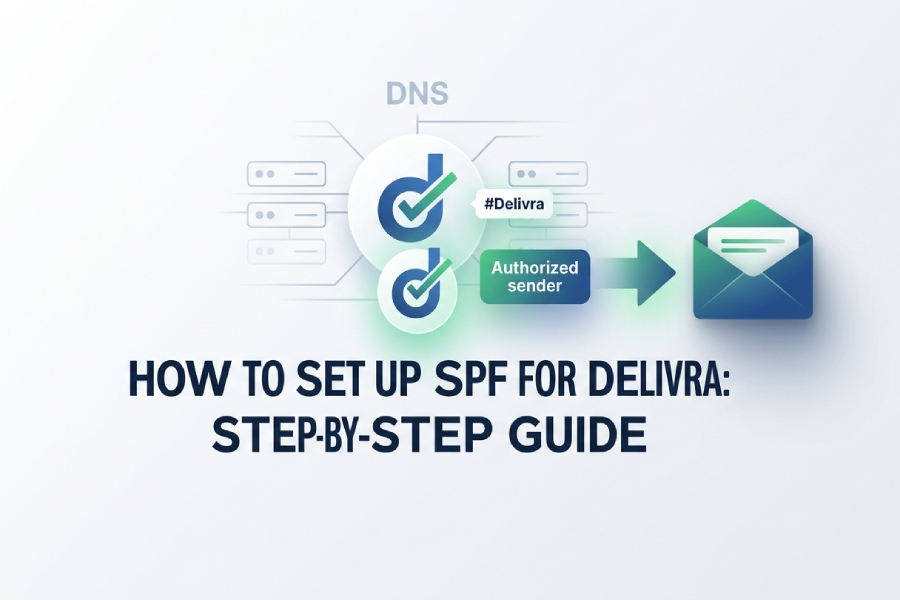
Sender Policy Framework, or SPF, is one of the foundational DNS authentication methods that helps mailbox providers verify whether Delivra is authorized to send email on behalf of your domain. If your business uses Delivra to send newsletters, automated emails, or other outbound messages, SPF helps authorize Delivra to send on behalf of your domain. This improves trust with mailbox providers such as Google and Microsoft while reducing the risk of spoofing and authentication failures.
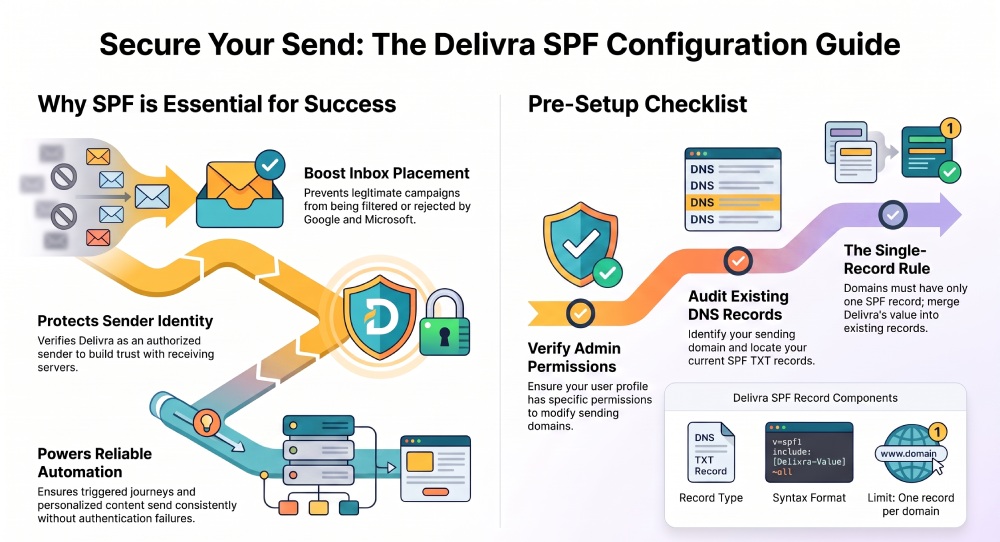
For an Email Marketer, SPF is not just a technical checkbox. It directly supports customer engagement by helping legitimate email campaigns reach the inbox instead of being filtered or rejected. A well-configured SPF record works alongside DKIM and DMARC to validate the sending source behind each campaign, whether that campaign is a newsletter, an onboarding series, a triggered journey, or a promotional Email Campaign.
Delivra is an email marketing platform that allows organizations to send newsletters, automated campaigns, and transactional emails. To ensure mailbox providers recognize these messages as legitimate, you must authorize Delivra to send on behalf of your domain by configuring an SPF record. Proper SPF authentication helps improve email deliverability and reduces the risk of spoofing.
Many organizations use Delivra alongside other email services and business platforms. If your domain already authorizes multiple email senders, update your existing SPF record instead of creating a second one. AutoSPF can help merge SPF includes, prevent duplicate SPF records, monitor DNS changes, and keep your SPF record within the 10 DNS lookup limit.
Understanding SPF Records and How They Work with Delivra
What an SPF Record Does
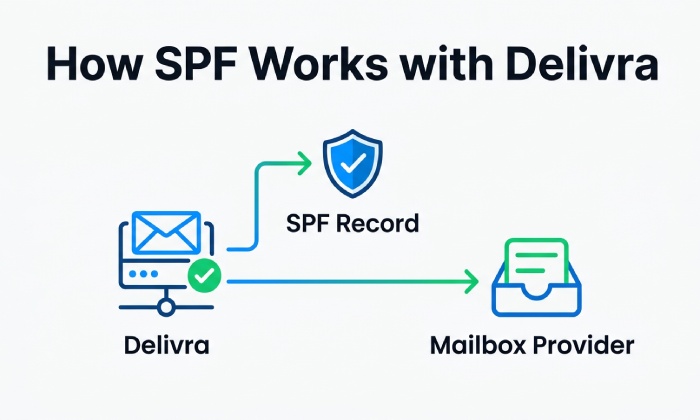
An SPF record is a TXT record published in your domains DNS. It tells receiving mail servers which platforms are allowed to send messages using your domain in the visible or technical sending identity. For Delivra, the SPF record usually includes a Delivra-provided include mechanism that authorizes Delivras sending infrastructure. If any of the syntax is unfamiliar, our SPF terms glossary defines each element.
A basic SPF record looks like this:
v=spf1 include:example-spf-provider.com ~all
For Delivra, do not copy a generic example from another platform. The correct include value should come from your Delivra account, your Account Manager, your Customer Success Manager, Dedicated Support, or Delivras Resource Guides. Delivra infrastructure may involve domains such as www.delivra.com, app.delivra.net, editor.ne16.com, integration.delivra.com, or related service endpoints, but these web addresses are not automatically SPF include values.
Why SPF Supports Email Marketing and Marketing Automation
SPF helps authenticate every email address used as a sender identity in Delivra. If your email address is not aligned with a properly authenticated sending domain, mailbox providers may treat the campaign as suspicious. That can reduce inbox placement and weaken customer engagement.
Whether you send newsletters, automated workflows, or transactional emails through Delivra, SPF verifies that your domain has authorized Delivra to send messages on its behalf. Successful SPF authentication improves sender reputation, supports better inbox placement, and helps reduce authentication-related delivery issues.
SPF also strengthens reporting. When authentication is healthy, custom reports, real-time reporting, analytics, engagement scoring, behavioral analytics, and advanced insights are more meaningful because poor deliverability is less likely to distort campaign performance.
How SPF Affects Email Deliverability
SPF authenticates the sending server before an email reaches the recipient’s inbox. When Delivra is properly authorized in your domain’s SPF record, receiving mail servers can verify that the message originates from an approved source. This helps reduce the likelihood of SPF failures, spoofing attempts, and unauthorized use of your domain.
A correctly configured SPF record also supports better email deliverability by improving trust with mailbox providers. Combined with DKIM and DMARC, SPF strengthens your domain’s authentication, helping legitimate emails reach recipients while reducing the risk of spam filtering or rejection.
SPF Is Not a Replacement for DKIM or DMARC
SPF is one layer of email authentication. Delivra users should also configure DKIM and DMARC where available. You can create a signing key with our DKIM generator. SPF authorizes sending servers, DKIM signs message content, and DMARC tells mailbox providers how to evaluate authentication alignment.
If your audience includes corporate subscribers, B2B contacts, or high-value customer profiles, using all three methods is especially important. This is also where a custom send strategy from your Account Manager, Customer Success, or Support Team can help align authentication with your broader marketing strategy.
Before You Begin: Delivra Login, Admin Access, and DNS Requirements
Confirm Your Delivra Login and Secure Login Details
Before editing SPF records, make sure you can complete your Delivra login successfully. Most users access Delivra through app.delivra.net or links provided from www.delivra.com. Use the correct email address for your User account and remember that your password may be case sensitive. A case sensitive password means uppercase and lowercase letters must be entered exactly as created.
If you cannot sign in, check caps lock first. Caps lock is a common reason for trouble signing in because a case sensitive password will fail if the capitalization is wrong. If needed, use password reset or password recovery from the secure login screen. A password reset may be sent to the email address associated with your user profile.
You may need to sign in more than once during setup: first for your Delivra login, then again for your DNS host such as Cloudflare, Google Domains, or another domain registrar. Keep your Delivra login credentials secure, and do not share your case sensitive password through email or chat.
Verify Admin Access and Your User Profile
After signing in, confirm that your user profile has permission to view or manage sending domains, authentication records, and other technical settings. Not every user has administrative access to modify domain authentication or DNS-related configurations.
If your account does not have the required permissions, contact your organization’s administrator, Account Manager, Customer Success Manager, or Delivra Support. During onboarding, Delivra may also provide documentation or resource guides to help you locate and configure your domain authentication settings.
Access Roles to Check Before SPF Setup
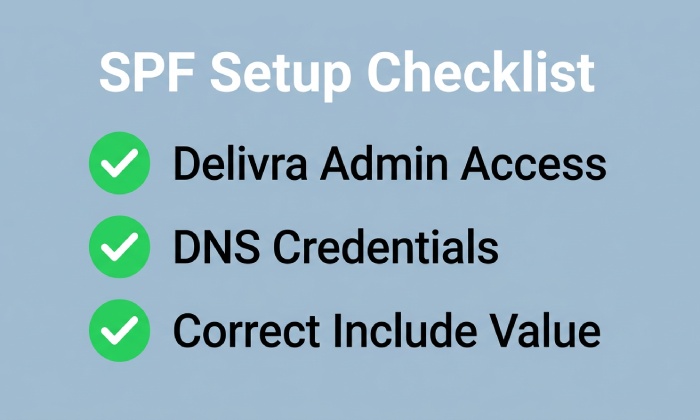
Confirm who owns each responsibility:
- Delivra admin access for sending domain settings
- DNS access through Cloudflare, Google, or your registrar
- Approval from your IT or security team
- Coordination with the Creative Team if campaign launches are pending
- Support access for password reset, cancel requests, or account changes
Keep Login and DNS Changes Documented
Document the email address used for Delivra login, the DNS host, the date of SPF changes, and the person who approved the update. This prevents confusion later if a campaign is delayed, a subscriber list changes, or a subscription workflow needs troubleshooting.
Gather DNS and Domain Information
Before changing DNS, identify the sending domain used in Delivra. This may be your root domain, such as example.com, or a subdomain used for email marketing, such as mail.example.com. Your SPF record must be published in the DNS zone for the domain Delivra instructs you to authenticate.
You should also review your existing SPF record. A domain should generally have only one SPF TXT record. If you already use platforms such as Salesforce, Shopify, Eventbrite, Leadpages, Stripe, Calendly, Vimeo, LinkedIn, or other integrations, your SPF record may already include multiple services. In that case, Delivras include mechanism must be merged into the existing SPF record rather than added as a second SPF record. As records grow more complex, understanding SPF macros can help you keep them manageable.
General Manager
General Manager of DuoCircle. Product strategy and commercial lead for AutoSPF's 2,000+ customer base.
LinkedIn Profile →