How does SPF flattening simplify DNS records?

Quick Answer
Each SPF record should not have more than 10 DNS lookups; otherwise, validation failures are triggered. SPF records of organizations with an intricate email infrastructure are more likely to hit this limit and experience permanent errors. This is where the process of SPF flattening steps in to keep the records within the limit of 10 queries, helping in improving email deliverability and compliance.

Each SPF record should not have more than 10 DNS lookups; otherwise, validation failures are triggered. SPF records of organizations with an intricate email infrastructure are more likely to hit this limit and experience permanent errors. This is where the process of SPF flattening steps in to keep the records within the limit of 10 queries, helping in improving email deliverability and compliance.
“The misconception about SPF flattening is that it’s a one-time fix,” says Adam Lundrigan, CTO of DuoCircle and architect of AutoSPF’s flattening engine. “Vendor IP ranges change constantly - Google rotated their _netblocks three times in 2025 alone. A flattened record that isn’t automatically re-resolved goes stale and silently de-authorizes legitimate senders. That’s why AutoSPF re-scans every 15 minutes.”
“The 10-lookup limit is the single most common reason enterprise SPF records silently break,” says Brad Slavin, General Manager of DuoCircle and founder of AutoSPF. “In our experience managing SPF for 2,000+ customer domains, the failure mode is always the same: a team adds a new SaaS tool, its include pushes the total past 10, and legitimate email starts failing - but nobody notices until a customer complains about missing invoices or password resets.”
Per RFC 7208, SPF evaluation is capped at 10 DNS mechanism lookups and 2 void lookups per check - exceeding either limit produces a PermError that fails authentication for every message from the domain.
What is SPF flattening?
SPF flattening reduces the number of DNS lookups by simplifying and optimizing SPF records. It helps domain owners stay within the limit specified by RFC by consolidating nested ‘include:’ statements and replacing indirect references with corresponding IPs. This turns the SPF record into a single, comprehensive entity.
How is SPF flattening done?
You can manually flatten an SPF record, but that’s a bit time and resource-consuming. Moreover, this approach has a higher chance of errors and misconfigurations. So, it’s better to use automatic SPF flattening tools.
Nonetheless, here is how you can do it manually-
-
Check SPF records, Find all includes and nested lookups.
-
Simplify lookups, Replace includes with direct IPs or CIDR ranges.
-
Test the record, Review it manually in DNS or use an online SPF checker to confirm it works properly.
Why Is SPF flattening Important?
Here’s why SPF flattening is beneficial for SPF records that have exceeded the lookup limit-
Staying compliant
SPF records must follow DNS lookup limits. Flattening helps keep them within these limits, ensuring compliance with the RFC rules set by the IETF for email authentication and maintaining your domain’s trustworthiness with email servers.

Enhanced email deliverability
When an SPF record is configured correctly and has no permerrors triggering, it efficiently performs authentication checks. If all your outgoing emails undergo authentication checks and are correctly categorized as legitimate and illegitimate, receiving mailboxes will start perceiving your domain as credible and valuable. This leads to enhanced email deliverability, which means most of your emails will land in the primary inboxes of recipients.
Prevention from phishing and spoofing
Using SPF with DMARC and flattening SPF helps prevent phishing and spoofing. Understanding what is SPF alignment explains why DMARC leans on SPF passing correctly. If SPF exceeds the limit, it can fail, causing DMARC to fail even for genuine emails. Moreover, threat actors are adept at exploiting vulnerabilities in email authentication protocols. So, if your SPF record exceeds the lookup limit, they know how to pivot that to their advantage, send phishing emails from your domain, and bypass authentication filters.
Don’t underestimate frequent evaluations
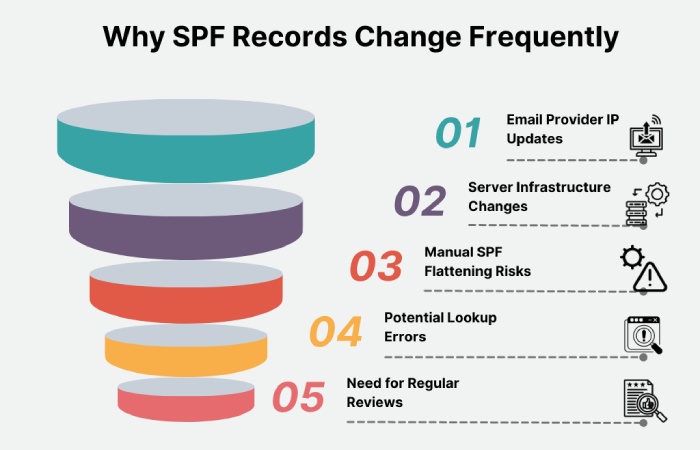
SPF records change frequently as email providers update their IPs and servers. Manually flattened SPF records can become outdated, causing lookup errors, so regular reviews are essential.
Overcomplicated SPF setups can lead to errors. Flattening replaces ‘include:’ statements with IPs, which may make the record too long (over 255 characters), so manage it carefully.
Use our free automatic SPF flattening tool if your SPF record has exceeded the limit and you are not able to fix it despite every effort. See how AutoSPF works to understand the process, or Contact us for any help.
CTO
CTO of DuoCircle. Architect of AutoSPF's SPF flattening engine and DNS monitoring infrastructure.
LinkedIn Profile →