DNS SOA Expire Value Outside the Recommended Range: Causes and Fixes

Quick Answer
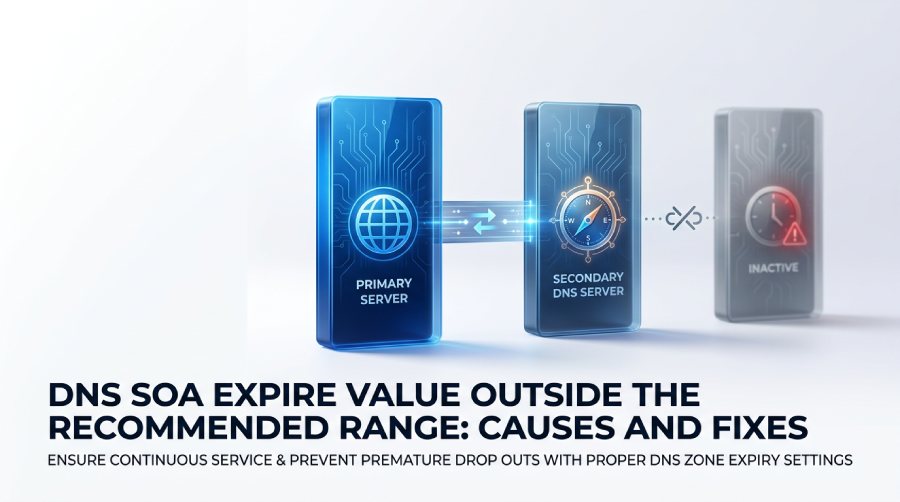
An SOA expire value controls how long secondary DNS servers continue serving zone data when the primary server is unreachable. A recommended range is commonly 2–4 weeks, but the correct value depends on your DNS provider, zone architecture, and operational needs.
What the DNS SOA Expire Value Means and Why It Matters
The SOA expire value is a timing parameter inside the SOA record, or Start of Authority record, for a DNS zone. The SOA record defines core authority information for a domain, including the Primary Name Server, administrator email address, Serial Number, Refresh Value, Retry Value, Expire Value, and minimum TTL. In practical terms, the expire field tells a secondary DNS server how long it may continue serving zone data if it cannot contact the primary server.
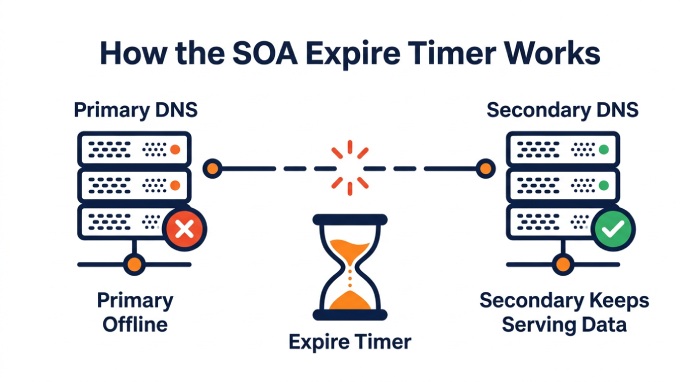
When DNS is configured with both a primary server and a secondary DNS server, the secondary server relies on zone transfers to stay synchronized. It periodically checks the serial number in the SOA record. If the serial number on the primary server is newer, the secondary DNS server requests updated zone data through zone transfers. The expire timer starts to matter when the secondary DNS server cannot reach the primary server for an extended period.
If the expire timer runs out, the secondary DNS server should stop serving the zone because its cached data may no longer be trustworthy. This prevents stale or outdated records from continuing indefinitely, but it can also cause outages if the SOA expire value is too low. A warning that the SOA expire value is out of recommended range usually means the configured expiration time is either shorter or longer than accepted operational guidance.
This matters because DNS is foundational to websites, email, APIs, and authentication services. If authoritative DNS servers become unavailable or stop serving a zone, important records such as A, CNAME, MX, SPF, DKIM, and DMARC records may become inaccessible. This can lead to website or application connectivity problems, disrupted mail routing, and email authentication or deliverability issues that force you to troubleshoot SPF validation failures. DNS diagnostic and SOA checker tools can also flag an SOA expire value when it falls outside their recommended range as part of a broader domain health review.
The guidance around the SOA expire value is commonly associated with RFC 1912. Although RFC 1912 provides operational guidance rather than a mandatory protocol requirement, its recommendations are still referenced when evaluating DNS zone configurations. However, the appropriate SOA expire value can vary depending on the DNS provider, zone architecture, and operational requirements.
Recommended SOA Expire Ranges and Common Warning Thresholds
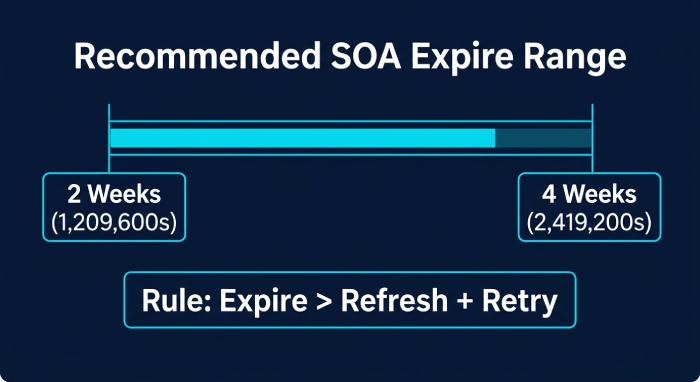
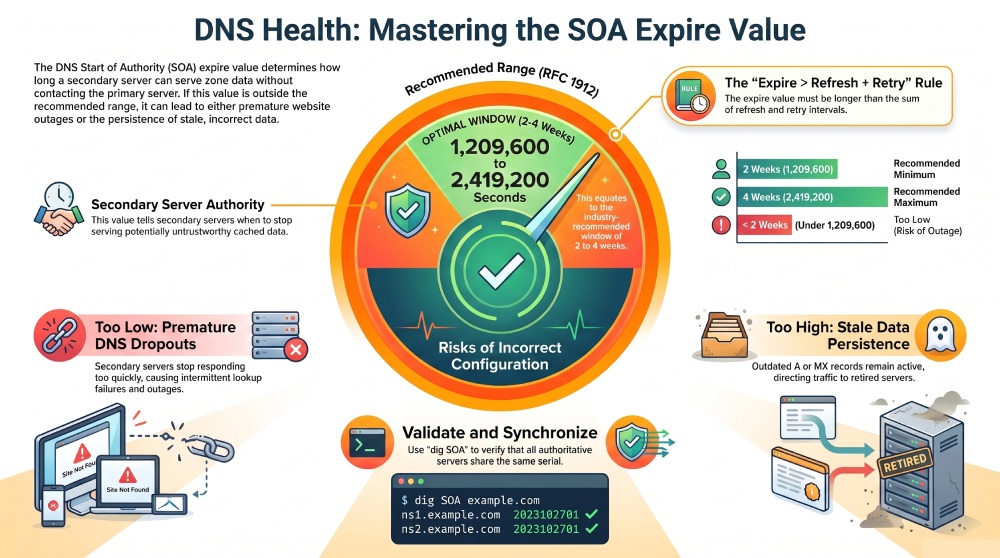
A common recommended expire range for the SOA expire value is 2-4 weeks, expressed in seconds. In many DNS tools, this translates to values such as:
- 1,209,600 seconds for 2 weeks
- 2,419,200 seconds for 4 weeks
RFC 1912 is often cited as recommending an SOA expire value in the 2-4 weeks range. As a result, a domain analyzer, SOA checker tool, or Domain Analyzer may report the SOA expire value as out of recommended range if it is below 1,209,600 seconds or above 2,419,200 seconds. Some scanners are stricter, while others allow broader operational defaults used by a specific DNS provider.
The expire field should also be evaluated in relation to the refresh and retry values. A standard rule of thumb is that the expire period should be meaningfully longer than both the refresh and retry periods. Many checks also look for the relationship expire > refresh + retry. If the expire timer is shorter than the interval needed for repeated connection attempts, a secondary DNS server may give up before it has had a fair chance to reestablish contact with the primary server.
For example, a typical SOA record might contain:
example.com. 3600 IN SOA ns1.example.net. admin.example.net. (
2025011501 ; Serial Number
7200 ; Refresh Value
3600 ; Retry Value
1209600 ; Expire Value
300 ; minimum TTL
)
In this example, the SOA expire value is 1,209,600 seconds, which fits the lower end of the 2-4 weeks recommendation. The expire field is comfortably higher than refresh and retry, reducing the chance of unnecessary expiration during temporary network issues.
Different DNS platforms expose SOA settings in different ways. Managed providers such as Cloudflare may control SOA values automatically, while platforms such as cPanel, PowerDNS, and BIND may provide more direct DNS configuration options. Microsoft DNS environments can also expose SOA settings through their DNS management tools. If your DNS provider manages the SOA record automatically, you may not be able to edit the expire value manually.
Causes of an SOA Expire Value Being Too Low or Too High
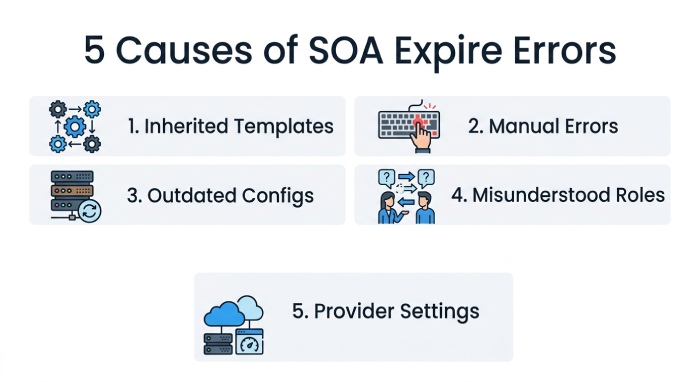
An SOA expire value becomes out of recommended range for several common reasons. The first is inherited hosting templates. Some DNS provider templates use aggressive values designed for internal systems, lab networks, or legacy configurations. When those values are applied to a public domain, the SOA record may be flagged as having an expire field that is too short.
A second cause is manual configuration. Administrators editing BIND zone files, PowerDNS records, Microsoft DNS zones, or cPanel DNS settings can accidentally enter the wrong number of seconds. Simple typos are possible, such as entering 120960 instead of 1209600, or adding an extra zero and creating an excessively long expire timer. Manual configuration errors can also occur when administrators copy settings from another DNS environment without adjusting them for the current zone and infrastructure.
A third cause is outdated configuration. A domain may have been moved from one DNS provider to another, or from a domain registrar DNS service to Cloudflare, Azure DNS, or a managed hosting platform. During migration, old zone data may be imported without reviewing the SOA record. If the primary server and secondary DNS server relationship changes, the original SOA expire value may no longer fit the new architecture.
A fourth issue is misunderstanding the role of secondary servers and zone transfers. Some administrators assume the expire field affects ordinary recursive resolver caching, but that is primarily controlled by record-level ttl values and the minimum TTL behavior. The SOA expire value specifically protects authority synchronization between the primary server and secondary DNS server. If zone transfers are disabled, blocked by firewalls, or restricted by ACLs, the secondary DNS server may eventually expire the zone regardless of how correct the rest of the DNS records appear.
Finally, managed DNS providers may intentionally use provider-specific SOA values based on their infrastructure and reliability requirements. These values may differ from commonly cited recommendations such as those in RFC 1912. As a result, a DNS diagnostic or SOA checker tool may flag an expire value as outside its recommended range even when the setting is intentional and appropriate for the provider’s architecture. Before changing the value, verify the DNS provider’s documentation and confirm that the setting is compatible with your primary and secondary DNS configuration.
Risks and Symptoms of an Incorrect SOA Expire Setting
If the SOA expire value is too low, the most serious risk is that a secondary DNS server may stop returning authoritative responses too quickly when it cannot reach the primary server. This can cause premature DNS dropouts, intermittent lookup failures, or a SERVFAIL response from resolvers that query the affected name server. Users may experience website outages even though the domain itself is registered and other infrastructure is online.
 If the SOA expire value is too high, the opposite problem can occur. A secondary DNS server may continue serving outdated records for too long after the primary server becomes unreachable. That means old A record or CNAME record data can persist, directing users to retired servers, old mail systems, or obsolete application endpoints. For mail infrastructure, stale MX, SPF, DKIM, or DMARC-related DNS records may contribute to email deliverability issues. Teams using AutoSPF to manage SPF flattening should still ensure the surrounding DNS zone is healthy, including the SOA record and its expire field. An SPF flattening service can keep your record under the 10-lookup limit, but it cannot fix a misconfigured SOA expire value; if your record already trips the lookup cap, you will need to resolve SPF PermError separately.
Incorrect SOA settings can also delay operational recovery. Suppose a Primary Name Server fails during a migration, and the secondary DNS server has an expire timer that does not match expected maintenance windows. If the expire field is too short, the zone may disappear from secondary service before the outage is fixed. If it is too long, stale records may continue to propagate after the intended cutover.
Common symptoms include:
- Domain health tools reporting “SOA expire value out of recommended range”
- A diagnostics report warning that the expire field does not follow RFC 1912
- Inconsistent DNS answers between the primary server and secondary DNS server
- Failed or delayed zone transfers
- Unexpected SERVFAIL responses
- Old zone data still appearing after changes should propagate
- Discrepancies between the Serial Number on different name server instances
An SOA expire warning does not necessarily indicate an immediate DNS outage, but it should be reviewed in the context of the domain’s DNS architecture, provider configuration, and secondary DNS setup.
How to Check, Update, and Validate the SOA Expire Value
Start by checking the current SOA record. You can use command-line DNS tools such as dig or nslookup, or use a DNS diagnostic and SOA checker tool to review the record. For example:
dig SOA example.com
Review the returned values in order: primary name server, administrator email address, serial number, refresh, retry, expire, and minimum TTL. The expire field is the value after retry. Confirm whether the SOA expire value falls within the applicable recommended range and provides sufficient time for repeated attempts to contact the primary server. It should also be appropriately longer than the refresh and retry intervals.
Next, compare the SOA record across authoritative name servers:
dig SOA example.com @ns1.example.net
dig SOA example.com @ns2.example.net
The Primary Name Server and each Secondary DNS server should agree on the current serial number after zone transfers complete. If the secondary DNS server shows an older serial number, investigate zone transfers, firewall rules, TSIG keys, DNS NOTIFY behavior, and whether the secondary can contact the primary server.
 To update the value, use the platform that controls your authoritative DNS. In cPanel, open Zone Settings, DNS Zone Editor, or advanced DNS if SOA editing is available. In PowerDNS, update the database or API-managed zone. In BIND, edit the zone files, increment the serial number, and reload the service. In Microsoft DNS or Azure-managed environments, update the relevant DNS zone through the portal, PowerShell, CLI, or automation pipeline. If your domain registrar or DNS provider manages the SOA record automatically, you may need to contact support rather than edit it directly.
After changing the SOA expire value, validate that the updated SOA record is present and consistent across the authoritative name servers. Check the serial number, confirm that zone transfers have completed successfully, and rerun the SOA checker or DNS diagnostic tool. If the provider permits custom SOA values, the updated configuration should no longer trigger an out-of-range warning when it falls within the tool’s recommended criteria. However, provider-specific settings may intentionally differ from commonly cited RFC 1912 guidance.
Finally, document the chosen value in your DNS configuration standards. Record the reason for the selected expire timer, the expected refresh and retry intervals, and the process for future changes. This prevents future administrators from reverting to unsafe default values, copying outdated configuration, or introducing typos during manual setup.
General Manager
General Manager of DuoCircle. Product strategy and commercial lead for AutoSPF's 2,000+ customer base.
LinkedIn Profile →