DNS NS Records Explained: Function, Setup, and SPF Examples

Quick Answer
A DNS NS record identifies the authoritative nameservers responsible for a domain’s DNS records. It enables DNS delegation and resolution, while SPF records authorize email senders. Proper NS configuration helps maintain reliable websites and email services.
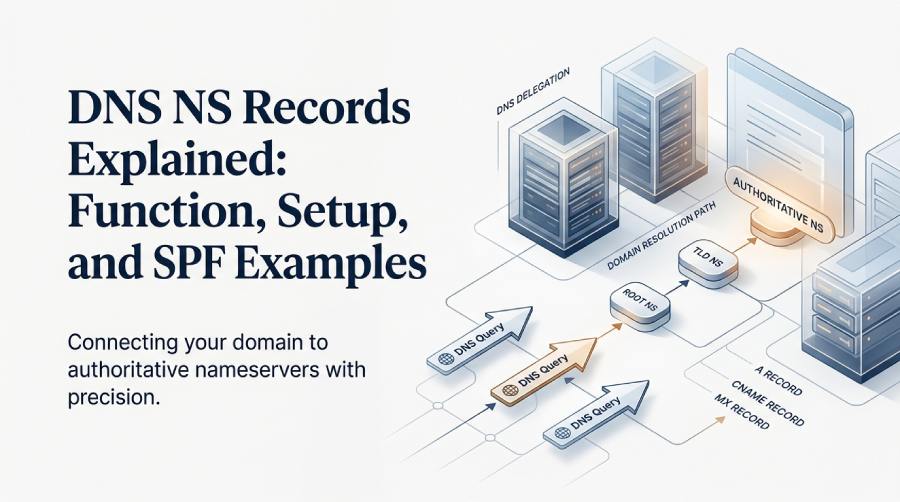
What Is a DNS NS Record? Definition and Role in Domain Resolution
A DNS NS record, short for name server record, tells the Domain Name System which nameserver is responsible for answering DNS queries for a domain. In practical terms, the DNS NS record connects a domain such as example.com to one or more authoritative name servers that hold its DNS configuration.
When someone visits a website, sends email, or requests a subdomain like blog.example.com, DNS resolution begins by finding the correct nameserver. That authoritative nameserver then provides the relevant DNS record, such as an A record for an IP address, a CNAME record for an alias, or an MX record for email routing.
The role of NS records in DNS
A DNS NS record does not usually point directly to a website or mail server. Instead, it points to the DNS server that knows where those services are located. For example:
example.com. 3600 IN NS ns1.exampleserver.com.
example.com. 3600 IN NS ns2.exampleserver.com.
In this example, ns1.exampleserver.com and ns2.exampleserver.com are the nameserver hosts for the domain. The authoritative nameserver stores the domain’s zone file, including records such as:
- A record entries for web server IP address mapping
- CNAME record entries for aliases such as www or blog
- MX record entries for email delivery
- TXT records for SPF, DKIM, and verification
- Zone NS records that define authoritative DNS servers
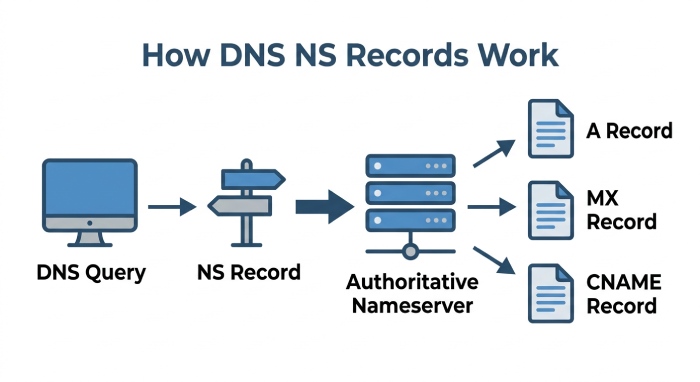
Why NS records matter for domain authority
In DNS, domain authority means the right to answer for a domain’s DNS data. A DNS NS record establishes where that authority lives. Without a valid nameserver and delegation path, the domain cannot complete DNS resolution reliably.
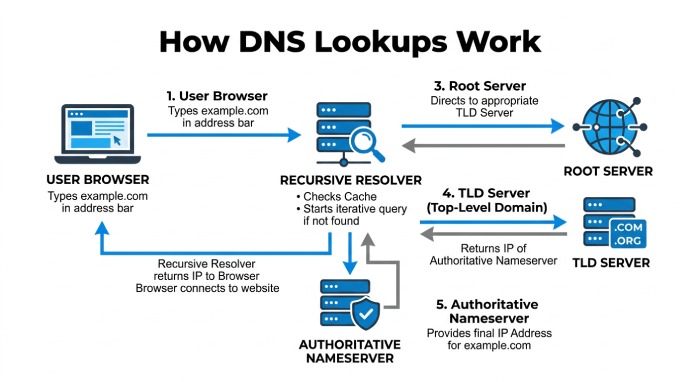
This structure is defined in the DNS hierarchy described in RFC 1035 and other core DNS standards. A root name server points to the appropriate Top-Level Domain, such as .COM or .ORG. Then the TLD name server, operated by a registry such as the COM registry for .COM, points to the authoritative nameserver for the domain.
How NS Records Work: Authoritative Name Servers, Delegation, and DNS Lookups
NS records work through delegation. Delegation is the process of telling the parent DNS zone which nameserver is authoritative for a child domain. For example, the .COM registry delegates example.com to the domain’s authoritative name servers.
From resolver to authoritative server
Here is a simplified version of How DNS Works during a dns lookup:
- A user enters example.com in a browser.
- The operating system or browser asks a dns resolver.
- A recursive DNS resolver checks its cache first.
- If no cached answer exists, the resolver asks a root name server.
- The root refers it to the relevant tld name server.
- The TLD server provides the DNS NS record for the domain.
- The resolver asks the authoritative nameserver for the requested DNS record.
- The authoritative nameserver returns the A record, CNAME record, MX record, or other requested answer.
The “Authoritative Server” is the final source of truth for the domain’s DNS zone. If its dns configuration is wrong, dns resolution may fail even if the domain registrar is correct.
Delegation at the parent zone
Delegation occurs outside the ordinary DNS zone file in many setups. Your domain registrar stores the parent-side nameserver assignment, while your dns hosting provider stores the zone records themselves.
For example, a DNS hosting provider may assign several authoritative nameservers to your domain. The nameservers configured at the registrar determine which provider is authoritative for the domain’s DNS zone.
ns1.dnsimple-edge.com
ns2.dnsimple-edge.net
ns3.dnsimple-edge.io
ns4.dnsimple-edge.org
If the nameservers configured at your domain registrar point to a specific DNS provider, that provider becomes authoritative for your domain’s DNS records. The same principle applies when using a cloud service or custom nameservers: the nameservers entered at the registrar determine which authoritative DNS servers manage your domain’s DNS resolution.
How to Find, Add, and Update NS Records in Your DNS Provider
Managing a DNS NS record usually involves two places: the registrar, where you change nameservers, and the DNS hosting provider, where you manage the DNS record set.
How to find current NS records
You can inspect NS records using command-line tools or web-based checkers. Common methods include:
nslookup -type=NS example.comor:
dig NS example.comYou can use a DNS checker to compare global DNS results.
These tools help with dns troubleshooting because they reveal which nameserver is visible globally and whether delegation has propagated.
How to add or update NS records
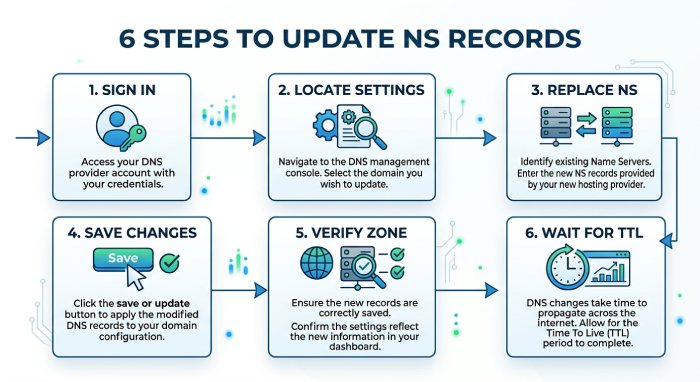
To update ns records, follow this general process:
- Sign in to your domain registrar.
- Locate the nameserver or domain management settings.
- Replace default name servers with the authoritative nameserver values from your DNS hosting provider.
- Save the change nameservers request.
- Confirm that the domain’s zone contains required records such as an A record, CNAME record, and MX record.
- Wait for TTL and registry propagation.
 For mydomain.com, you might replace registrar defaults with:
ns1.exampleserver.com
ns2.exampleserver.com
If you are moving from one provider to another during a domain transfer, verify domain ownership and copy all existing DNS records first. Missing an MX record can disrupt email delivery. Missing an A record can make a website unreachable. An incorrect CNAME record can break a subdomain. Incorrect nameserver delegation can prevent DNS resolvers from reaching the correct authoritative DNS servers, potentially disrupting multiple services across the domain.
Registrar-side nameservers
Registrar-side nameservers control domain delegation. This is where you specify the authoritative nameserver set for the domain.
Zone-side NS records
Zone NS records inside the zone file are also important, especially for consistency and secondary DNS. Some platforms classify these as System Records because they are essential to the zone’s operation.
Common NS Record Setup Issues and Best Practices for Reliability
NS configuration mistakes are common because NS records affect the entire domain. A single incorrect nameserver can cause intermittent failures depending on which dns server a recursive resolver contacts.
Common mistakes to avoid
Frequent issues include:
- Entering a misspelled nameserver hostname
- Mixing old and new providers during a migration
- Forgetting to create records before changing delegation
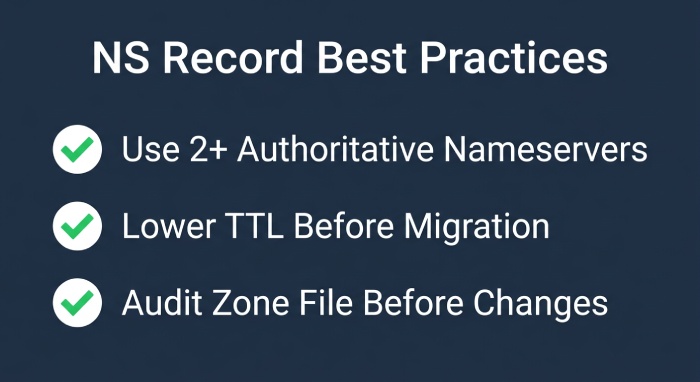
- Using only one authoritative nameserver instead of multiple nameservers can create a single point of failure.
- Using vanity name servers without proper glue records
- Removing System Records accidentally
- Assuming TTL changes apply instantly everywhere
For reliability, use at least two authoritative name servers on separate infrastructure. A primary and secondary server can reduce the risk of DNS disruption if one server or location becomes unavailable. Distributing authoritative DNS across multiple locations can also improve availability and reduce lookup latency.
Best practices for DNS management
Before changing a DNS NS record, export or audit the zone file. Confirm that every critical DNS record exists at the new provider: A record, CNAME record, MX record, TXT records, and any service-specific entries.
Best practices include:
- Lower TTL before migration when possible
- Test with nslookup and dig
- Compare DNS responses across different resolvers.
- Keep registrar account access secure
- Document domain ownership, provider access, and privacy settings
- Avoid deleting old DNS zones until propagation is complete
- Monitor dns resolution after delegation changes
Good dns management treats the nameserver layer as foundational. If delegation is wrong, even perfectly configured A record, CNAME record, and MX record entries will not be reachable.
NS Records vs. SPF Records: Key Differences and Practical SPF Examples
A DNS NS record and an SPF record are both DNS records, but they solve very different problems.
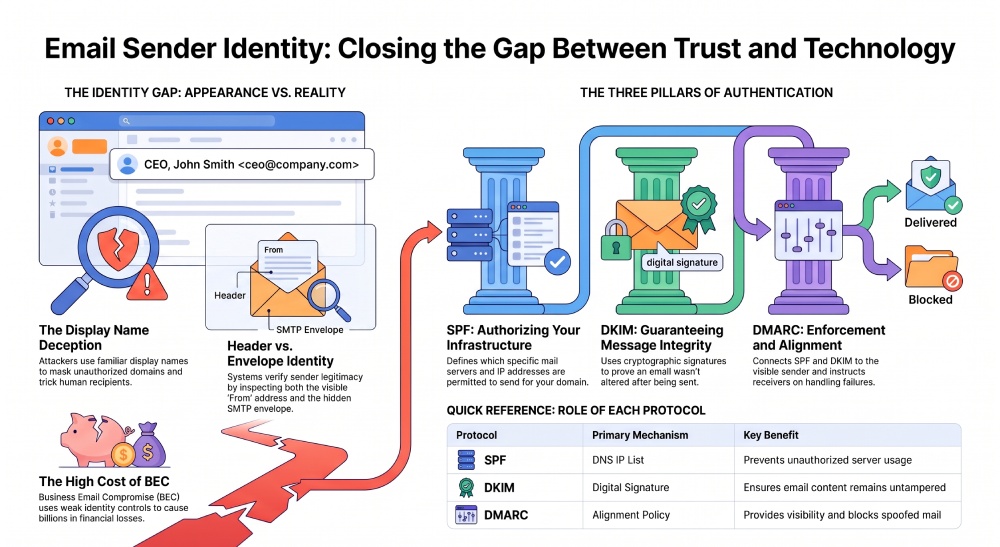
An NS record defines which nameserver is authoritative for a domain. It supports delegation and makes dns resolution possible. An SPF record is a TXT record that identifies which mail servers are allowed to send email for the domain.
For example, this DNS NS record delegates authority:
example.com. 3600 IN NS ns1.exampleserver.com.
example.com. 3600 IN NS ns2.exampleserver.com.
This SPF record authorizes Google Workspace to send email:
example.com. 3600 IN TXT "v=spf1 include:_spf.google.com ~all"A more complex SPF record might include a cloud provider or email service:
example.com. 3600 IN TXT "v=spf1 include:_spf.google.com include:mail.example.net ip4:203.0.113.10 ~all"The DNS NS record controls where DNS answers come from. The SPF TXT record controls email sender authorization. If your domain sends mail through a provider that is not authorized by its SPF record, those messages may fail SPF authentication. If your delegation points to the wrong authoritative nameserver, the SPF record may not be found at all.
Tools such as AutoSPF can help manage complex SPF records when a domain uses multiple email-sending services while staying within SPF DNS lookup limits.
Practical comparison:
| Record type | Purpose | Example use |
|---|---|---|
| DNS NS record | Identifies authoritative name servers | Delegates example.com to ns1.exampleserver.com |
| A record | Maps a hostname to an IP address | example.com to 203.0.113.10 |
| CNAME record | Creates an alias | www to example.com |
| MX record | Routes email | example.com mail to mail provider |
| SPF TXT record | Authorizes mail senders | Allows Google or another sender |
For a working domain, these records cooperate. The DNS NS record and nameserver delegation make the zone reachable; the authoritative nameserver serves the A record, CNAME record, MX record, and SPF TXT record; and recursive resolvers complete dns resolution for users and mail systems.
General Manager
Founder and General Manager of DuoCircle. Product strategy and commercial lead for AutoSPF's 2,000+ customer base.
LinkedIn Profile →