BIMI SVG Converter: How to Convert Your Logo for BIMI

Quick Answer
A BIMI SVG converter helps you transform your logo into a BIMI-compliant SVG file for email branding. Learn how to convert, format, and validate your logo to meet BIMI requirements and improve brand visibility in supported email inboxes.
Try Our Free BIMI Checker
Verify your BIMI record and check VMC certificate status.
Check BIMI Record →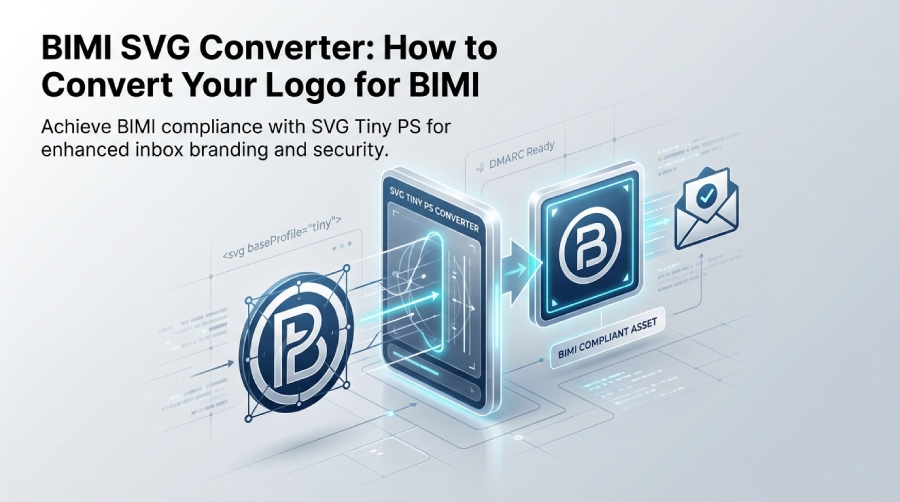
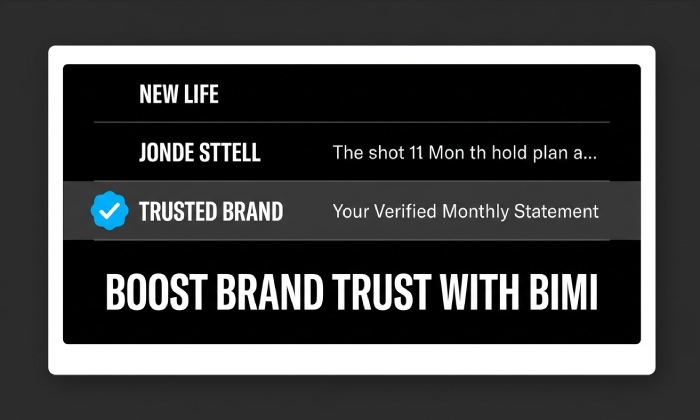
Brand Indicators for Message Identification (BIMI) is an email standard that allows a brand’s logo to appear alongside messages in supported email inboxes when the sender meets the applicable requirements. This can help improve brand recognition and make legitimate emails easier for recipients to identify.
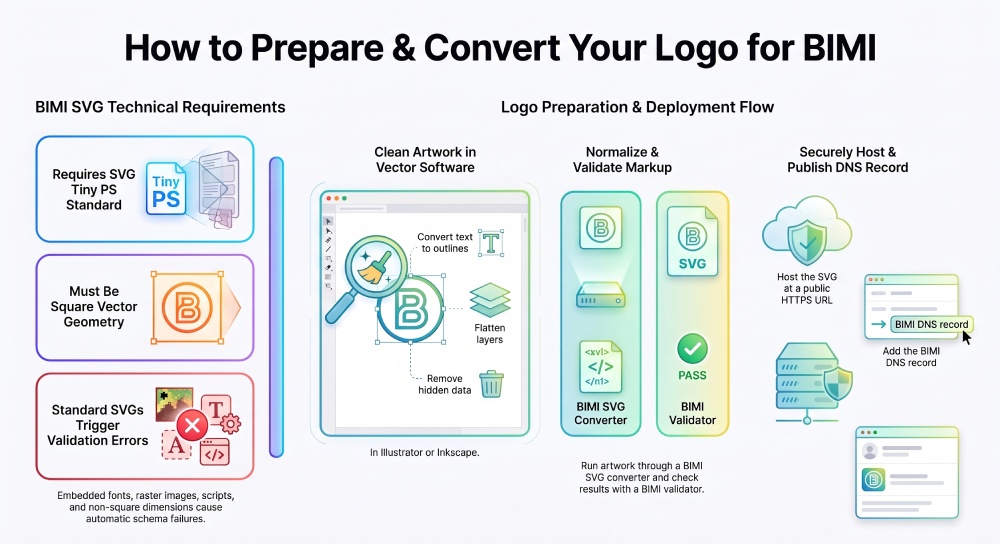
However, publishing a BIMI record in DNS is only one part of the process. Your logo must meet BIMI’s technical requirements, including the applicable SVG Tiny PS profile. A standard SVG exported from a design tool may contain unsupported elements or metadata that prevent it from passing validation.
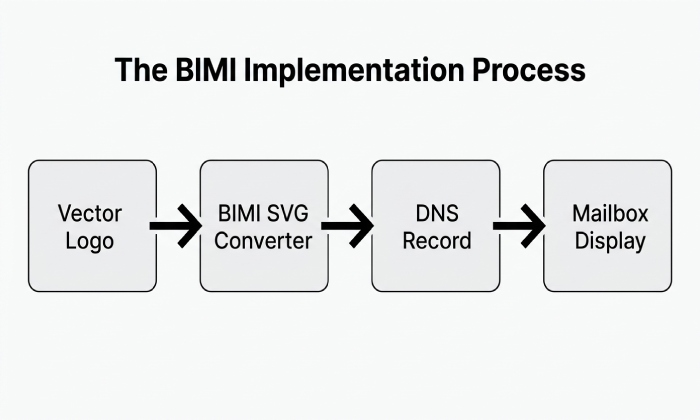
A BIMI SVG converter helps prepare an existing logo for this format by converting or normalizing its SVG markup. Depending on the tool, it may also remove unsupported elements and identify compatibility issues. Validation is still necessary to confirm that the resulting file meets the applicable BIMI requirements.
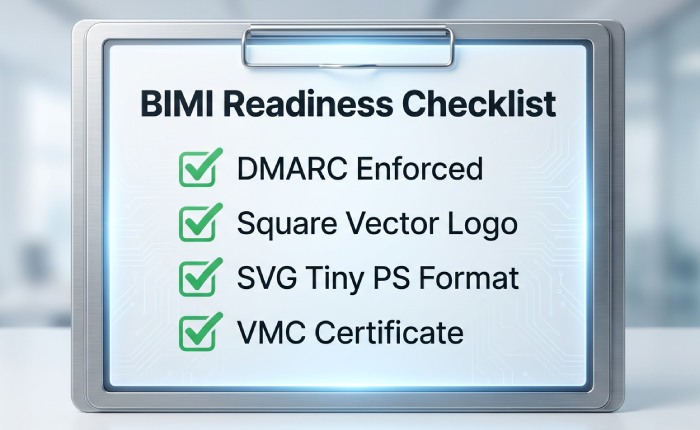
BIMI also depends on domain readiness. Your sending domain must have a qualifying DMARC policy, generally set to p=quarantine or p=reject, and meet the relevant alignment requirements. Mailbox providers apply their own policies for displaying BIMI logos, so a compliant SVG alone does not guarantee that a logo will appear in every inbox.
Proper BIMI implementation supports email security by reinforcing domain authentication and helping recipients recognize legitimate brand emails.
Understanding BIMI SVG Requirements and SVG Tiny PS
BIMI has very specific image requirements. The approved BIMI logo format is not a generic SVG; it is a static SVG profile based on SVG Tiny PS and SVG Tiny 1.2. This matters because mailbox providers need a secure, predictable, lightweight visual asset for email inbox display.
A proper BIMI-compliant SVG should be a square vector image, usually based on clean SVG paths rather than raster content. The file should not include scripts, animations, external images, embedded fonts, or an external bitmap. If the source contains a bitmap image, it should be redrawn as a vector-based logo before conversion. BIMI does not want dynamically loaded or externally referenced artwork because it creates security and rendering risks.
The BIMI Group defines the requirements for BIMI-compliant logos and provides tools to help validate SVG files. A BIMI SVG validator can identify compatibility issues, while a BIMI record checker can help verify the DNS configuration. Using these tools before publishing your logo can help identify errors and ensure your BIMI setup meets the applicable requirements.
SVG Tiny PS versus SVG Tiny 1.2
SVG Tiny PS is the profile most associated with BIMI logo use. It is closely related to SVG Tiny 1.2, but it narrows what is acceptable for BIMI. You may see references to SVG P/S format, SVG baseProfile, and SVG version 1.2 when validating a BIMI image. These fields help indicate that the SVG format is aligned with the expected BIMI profile.
A BIMI SVG converter or SVG logo converter can often update these values automatically. For example, the tool may normalize the XML, add or correct the SVG title element, remove unsupported markup, and prepare a BIMI-compliant SVG for publication. Still, not every converter tool is equally reliable. Some perform automatic conversion, while others require manual conversion and additional cleanup in Notepad on Microsoft Windows, Adobe Illustrator, or Inkscape.
The role of the BIMI record, DNS, and certificates
After logo conversion, the BIMI SVG logo must be hosted at a secure public URL using HTTPS hosting with a valid SSL certificate. The BIMI record is then published as a TXT DNS record, often under a selector such as default._bimi.example.com. This BIMI DNS entry points to the hosted logo and, where required, to a certificate URL.
The record may include a logo location and optional certificate reference. Some environments also discuss the BIMI lps tag or a BIMI record update when changing the logo location. For certain mailbox providers, a VMC, or Verified Mark Certificate, may be required. In other cases, CMC, or Common Mark Certificates, may apply. These certificates are issued through a Mark Verifying Authority such as Entrust Datacard or another approved provider. They help confirm that the Brand name and brand logo are authorized for BIMI verification.
Why Standard SVG Files Often Fail BIMI Validation
A standard SVG exported from a design app often fails because general-purpose SVGs are too flexible. BIMI intentionally restricts that flexibility. An ordinary export may contain embedded fonts, invisible layers, CSS, editor metadata, linked external images, masks, filters, or scripting-related elements. These can trigger a conversion error or a validation failure in an SVG validator or logo checker.
A BIMI SVG logo should be simple, portable, and predictable. If the image relies on fonts, convert text to outlines. If it contains a raster object, replace the bitmap image with vector artwork. If the logo includes hidden data, remove it. A BIMI SVG converter can normalize SVG structure and remove many problem elements, but severe source issues may require cleanup before you convert SVG.
Common validation blockers
The most common blockers include an incorrect SVG baseProfile, missing SVG version 1.2, unsupported SVG attributes, invalid XML, non-square viewBox dimensions, and references to external resources. A BIMI-compliant SVG should not depend on anything outside the file itself. That is why an external bitmap or remote font can break BIMI requirements.
Another frequent issue is poor shape construction. A logo built from many overlapping objects may render correctly in a design tool but fail schema checks. Using fewer, cleaner SVG paths improves portability. The best vector-based logo is visually faithful to the original brand logo but technically simple enough for SVG Tiny PS and SVG Tiny 1.2 validation.
Reading validator output
When a BIMI Validator, BIMI SVG assistant, or SVG validator reports errors, review the message carefully. A schema validation issue may point to the RNC Schema, while a visual warning may involve canvas size, clipping, or color contrast. Strong error reporting helps distinguish between a true BIMI failure and a minor optimization issue. If validation fails repeatedly, test the image with multiple Email Authentication Tools, including a BIMI Record Checker and a BIMI SVG Assistant tool.
Preparing Your Logo Before Using a BIMI SVG Converter
Before you use a BIMI SVG converter, prepare your artwork carefully. Start with the highest-quality brand logo available, ideally an original vector-based logo. Avoid starting from a JPEG, PNG, or other raster bitmap image unless you plan to redraw it. BIMI rewards clean vector geometry.
Open the file in Adobe Illustrator or Inkscape. Some teams also use InkScape workflows for open-source editing. Set the artboard to a square, center the mark, and make sure the design works at small sizes. Because BIMI improves brand recognition in the inbox, the logo should remain recognizable even when scaled down for email inbox display.
Next, simplify the artwork. Convert all text to outlines, remove hidden layers, flatten unnecessary groups, and eliminate nonessential effects. Save a clean source SVG file before using a SVG logo converter. If your tool provides SVG normalization, use it to reduce unnecessary metadata and improve structural consistency. The goal is a clean BIMI SVG logo that can become a BIMI-compliant SVG without repeated failures.
You should also confirm domain readiness before spending time on design refinements. BIMI implementation requires the sending domain to be DMARC compliant. Review your DMARC policy, SPF alignment, DKIM alignment, and BIMI policy. If the domain is not enforcing DMARC, the BIMI record will not deliver the intended trust signal. Strong email authentication is the foundation of every successful BIMI implementation.
Logo hosting and verification prerequisites
After converting your logo, host the BIMI SVG file at a publicly accessible HTTPS URL with a valid TLS certificate. Ensure the URL remains stable and that the file can be retrieved without authentication or access restrictions.
Depending on the mailbox provider, your BIMI implementation may also require a Verified Mark Certificate (VMC) or a Common Mark Certificate (CMC). These certificates support verification of the brand logo or its associated rights. Google may display a verified checkmark for eligible senders that meet its BIMI and certificate requirements. However, displaying a logo or verification indicator depends on the provider’s policies and is not guaranteed simply by converting the SVG file.
General Manager
General Manager of DuoCircle. Product strategy and commercial lead for AutoSPF's 2,000+ customer base.
LinkedIn Profile →