Best DNS Security Tools for Email in 2026 SPF, DKIM & DMARC Management Compared

Quick Answer
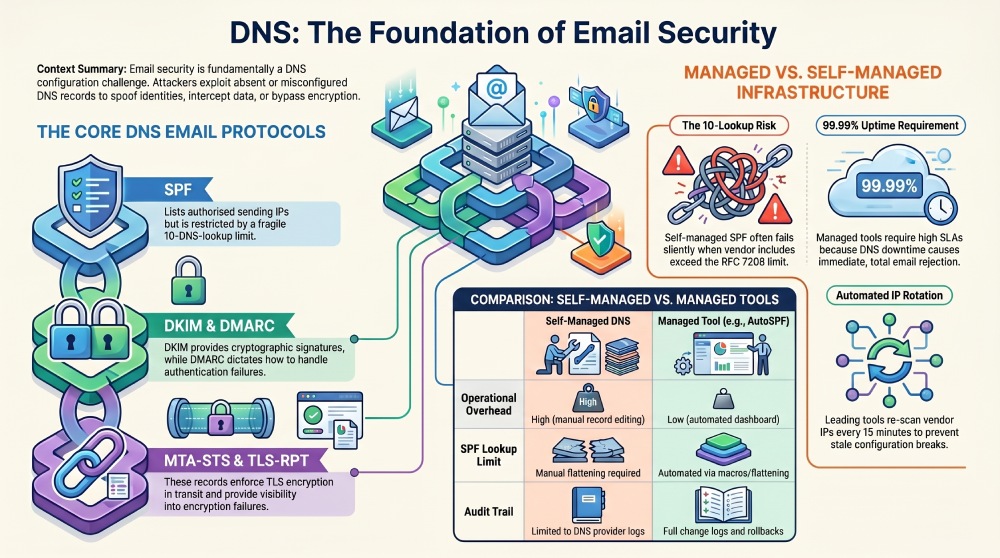
DNS-based email security is the practice of using Domain Name System records to authenticate outgoing email, enforce policy on unauthenticated messages, and protect email in transit. Every major email security protocol, including SPF, DKIM, DMARC, BIMI, MTA-STS, and TLS-RPT, is implemented as a DNS record. Your email security posture is, at its foundation, a DNS configuration problem.
Try Our Free DMARC Checker
Validate your DMARC policy, check alignment settings, and verify reporting configuration.
Check DMARC Record →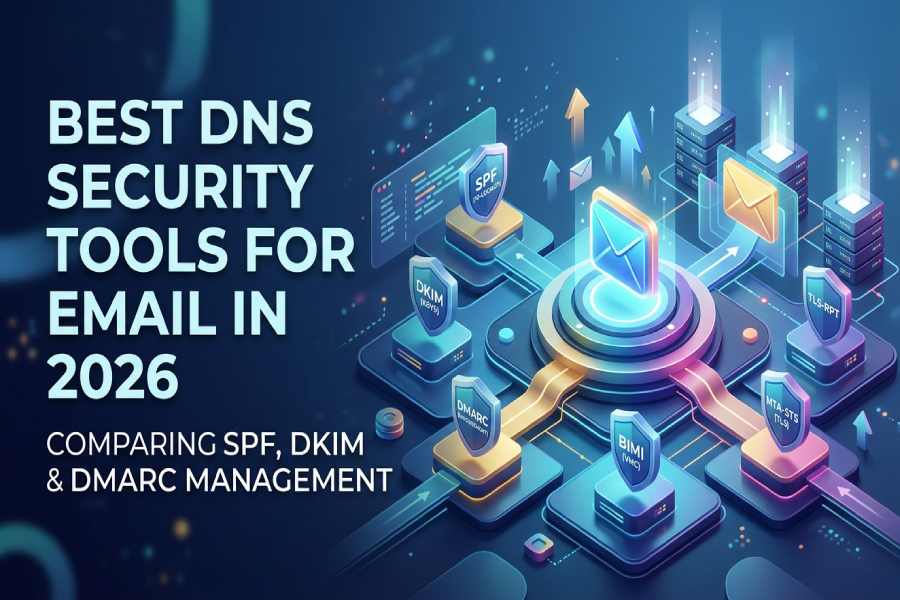
What Is DNS-Based Email Security?
DNS-based email security is the practice of using Domain Name System records to authenticate outgoing email, enforce policy on unauthenticated messages, and protect email in transit. Every major email security protocol, including SPF, DKIM, DMARC, BIMI, MTA-STS, and TLS-RPT, is implemented as a DNS record. Your email security posture is, at its foundation, a DNS configuration problem.
When a receiving mail server processes an inbound email claiming to be from your domain, it does not contact your organization directly. It queries your DNS. It looks up your SPF TXT record to check whether the sending IP is authorized. It retrieves your DKIM public key from a DNS TXT record to verify the message signature. It reads your DMARC TXT record to determine what policy to apply if authentication fails. Every one of these checks happens in milliseconds, against DNS infrastructure that you control.
This means that the reliability, accuracy, and security of your DNS records directly determines whether your emails are delivered, quarantined, or rejected. A misconfigured DNS record does not cause a gradual decline in deliverability. It causes an immediate, total authentication failure for every message.
For infrastructure and operations teams, this reframing matters. Email authentication is not a security project managed by the CISO’s team. It is a DNS infrastructure concern that belongs in the same operational category as DNS availability, TTL management, and zone file integrity.
Why DNS Is the Attack Surface for Email
Email spoofing and phishing do not exploit vulnerabilities in your mail server. They exploit the absence of DNS records that receiving servers use to verify sender identity. The attack surface is not your email infrastructure. It is your DNS.
Without SPF in DNS: Any server on the internet can send email claiming to be from your domain, and receiving servers have no mechanism to verify the claim. The domain is wide open to spoofing.
Without DKIM keys in DNS: Receiving servers cannot verify that a message from your domain has not been altered in transit. Man-in-the-middle attacks can modify email content (such as changing bank account numbers in invoices) without detection.
Without DMARC in DNS: Even if SPF and DKIM are configured, receiving servers have no instruction on what to do when authentication fails. The default behavior varies by provider, and your domain owner has no control over it.
Without MTA-STS in DNS: Email in transit between mail servers can be downgraded from encrypted TLS to unencrypted connections. An attacker positioned between servers can intercept and read message content.
Without DNSSEC: DNS responses can be spoofed. An attacker who controls a DNS resolver can return forged SPF, DKIM, or DMARC records, undermining the entire authentication framework.
The DNS attack surface compounds: a single missing or misconfigured record can cascade into authentication failures, deliverability collapse, and domain abuse. DNS security tools for email exist to manage this surface comprehensively and prevent misconfigurations before they cause damage.
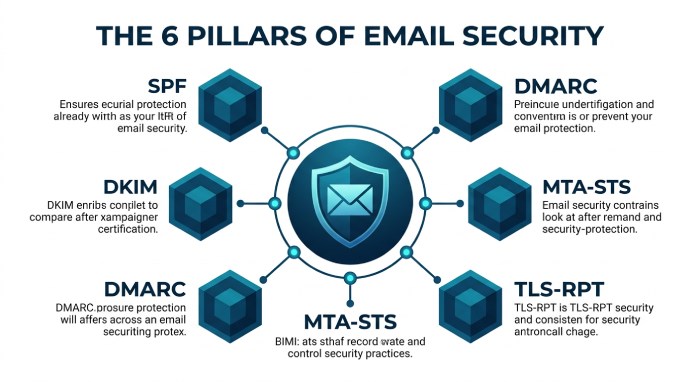
The Six DNS Records That Control Your Email Security
Understanding which DNS records are involved and what each one does is essential for evaluating tools. Each record addresses a different vector, and each has its own operational characteristics.
1. SPF (TXT Record at Domain Apex)
SPF lists the IP addresses and mail servers authorized to send email for your domain. It is evaluated during SMTP reception by querying the domain’s TXT records. The critical operational constraint is the 10-DNS-lookup limit defined by RFC 7208: exceed it, and SPF returns a PermError for every message. SPF is the most operationally fragile of the six records because it must be updated whenever a sending service is added or removed, and it breaks silently when vendor IP ranges rotate. Getting the SPF record syntax right matters here, since a single misplaced mechanism can invalidate the whole record.
2. DKIM (TXT Record at selector.domainkey.domain)
DKIM publishes a public key that receiving servers use to verify cryptographic signatures attached to outgoing messages. Each sending service typically requires its own DKIM selector and key pair. Keys should be 2048-bit RSA minimum and rotated every 6 to 12 months. DKIM’s operational complexity scales with the number of sending services: each service adds a selector, a key pair, and a rotation schedule. Create a key pair with our free DKIM generator.
3. DMARC (TXT Record at dmarc.domain)
DMARC specifies the policy for handling messages that fail SPF and DKIM alignment, and designates addresses for receiving aggregate (RUA) and forensic (RUF) reports. The operational journey is from p=none (monitoring) through p=quarantine to p=reject (full enforcement). DMARC is the simplest record to publish but the hardest to enforce, because enforcement requires confidence that all legitimate sending sources pass SPF or DKIM alignment.
4. BIMI (TXT Record at default.bimi.domain)
BIMI publishes a link to your verified brand logo that supporting mailbox providers display next to authenticated emails. It requires a fully enforced DMARC policy and a Verified Mark Certificate (VMC) linked to a registered trademark. BIMI is a visual trust signal, not a security control.
5. MTA-STS (TXT Record at mta-sts.domain + HTTPS Policy File)
MTA-STS enforces TLS encryption for email in transit by publishing a policy that receiving servers must honor. It requires both a DNS TXT record and an HTTPS-accessible policy file at mta-sts.domain/.well-known/mta-sts.txt. MTA-STS prevents downgrade attacks where an attacker forces a connection between mail servers from encrypted TLS to unencrypted plaintext.
6. TLS-RPT (TXT Record at smtp.tls.domain)
TLS-RPT designates an address for receiving reports about TLS encryption failures between mail servers. It provides visibility into whether MTA-STS enforcement is working and whether any email connections are failing to establish TLS.
DNS Reliability: Why Uptime SLAs Matter More Than Features
For infrastructure teams evaluating email security tools, the most important metric is not the feature list. It is the DNS uptime SLA.
Here is why: SPF, DKIM, and DMARC records are queried by receiving mail servers for every inbound email in real time. If the DNS infrastructure serving your SPF record is unavailable when a receiving server queries it, SPF evaluation fails. The receiving server cannot determine whether the sending IP is authorized, and the default behavior is to treat the message as suspicious or reject it.
This is fundamentally different from a DMARC reporting dashboard going down. If the reporting platform is unavailable, reports queue up and are processed later. No email is affected. But if the DNS serving your SPF record is down, every outbound email from your domain fails authentication for the duration of the outage.
The practical implication: any tool that serves your SPF record through its own DNS infrastructure (as flattening and macro tools do) must carry a DNS uptime SLA of 99.99% or higher. That translates to a maximum of approximately 53 minutes of downtime per year. Infrastructure backed by providers like Cloudflare (which serves AutoSPF’s DNS) or AWS Route 53 meets this bar. Smaller or self-hosted DNS infrastructure may not.
For tools that only process DMARC reports or manage DKIM keys without serving DNS directly, uptime is less critical. The reports and keys live in your DNS, not the tool’s DNS. The tool’s unavailability affects your management workflow, not your email authentication.
Key DNS Security Capabilities to Evaluate
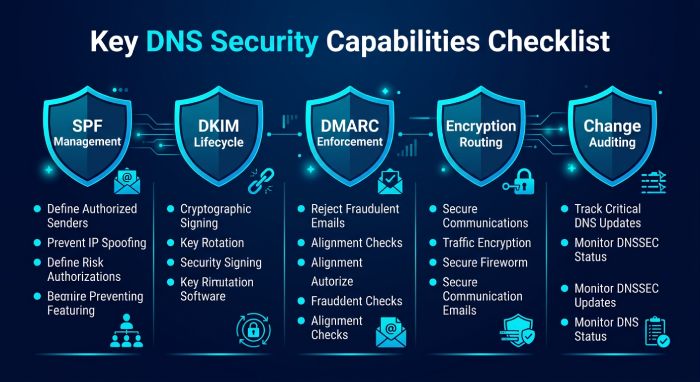
SPF record management and optimization. The tool should solve the 10-DNS-lookup limit through flattening, macros, or both. It should re-scan upstream vendor IPs on short intervals (15 minutes or less) to catch IP rotations before they break authentication. DNS rollback capability is valuable for reverting changes if a configuration breaks delivery.
DKIM key lifecycle management. The tool should support generating, publishing, and rotating DKIM keys across multiple sending services and selectors. 2048-bit RSA is the baseline. Automated rotation schedules with dual-key publication (new key live before old key retired) prevent signature validation failures during transitions.
DMARC reporting and enforcement workflow. The tool should transform raw XML aggregate reports into visual dashboards, identify sending sources by name, and provide a guided path from p=none to p=reject. Forensic (RUF) reporting provides per-message failure detail for investigation.
MTA-STS and TLS-RPT management. For organizations requiring encrypted email transport, the tool should publish and maintain the MTA-STS policy file and DNS record, and process TLS-RPT reports to identify encryption failures.
DNS change auditing and rollback. Every DNS record change should be logged with timestamp, author, and before/after state. Rollback capability allows reverting to a known-good configuration if a change causes delivery issues.
Multi-domain and subdomain management. Organizations managing multiple domains and subdomains need centralized management with per-domain dashboards, bulk operations, and subdomain policy inheritance visibility.
Compliance documentation. For regulated industries, the tool needs SOC-2 Type II certification, signed SLAs, DPAs, SSO/SAML, RBAC, and audit logs. These are not features. They are procurement requirements.
Common DNS Misconfigurations That Break Email
Publishing two SPF records on the same domain. RFC 7208 requires exactly one SPF TXT record per domain. Two records cause a PermError for every message. This happens when different teams add SPF records independently, or when a migration creates a second record without removing the original. The fix is combining SPF records into one consolidated entry.
Exceeding the 10-DNS-lookup limit. The most common SPF failure. Each include, a, mx, and redirect mechanism consumes a lookup. Nested includes from providers like Google Workspace can consume 3 to 4 lookups from a single include statement. An SPF lookup tool shows exactly how many each mechanism adds.
Stale DKIM selectors. When an organization switches email providers or rotates DKIM keys but forgets to remove old selectors or publish new ones, DKIM validation fails for messages signed with the new key or succeeds for messages that should no longer be valid.
DMARC at p=none indefinitely. A DMARC record with p=none provides visibility but zero protection. It tells receiving servers to deliver all messages regardless of authentication results. According to EasyDMARC’s 2026 DMARC Adoption Report, the majority of DMARC-enabled domains still operate in monitoring mode.
Missing subdomain DMARC policy. DMARC policies apply to the exact domain unless a subdomain policy (sp=) is specified. Attackers spoof subdomains that lack their own DMARC records, bypassing the parent domain’s enforcement entirely.
Incorrect MTA-STS policy file hosting. MTA-STS requires an HTTPS-accessible policy file at a specific path. If the certificate is expired, the path is wrong, or the hosting is unavailable, MTA-STS enforcement fails silently.
TTL values too high during changes. DNS changes propagate based on TTL (Time to Live) values. A TTL of 86400 (24 hours) means a misconfigured record persists in caches for a full day. Best practice is to lower TTL to 300 (5 minutes) before making changes, then raise it afterward.
Managed DNS vs. Self-Managed: The Trade-Offs
Organizations managing email DNS records face a fundamental architectural choice: manage records directly through their DNS provider, or delegate management to a specialized tool that serves records through its own infrastructure.
| Factor | Self-Managed DNS | Managed by Specialized Tool |
|---|---|---|
| Control | Full control over records and infrastructure | Tool manages records; you control configuration through its interface |
| SPF lookup limit | Must manually flatten or segment subdomains | Tool handles flattening or macros automatically |
| IP rotation handling | Must monitor vendor IP changes and update manually | Tool re-scans automatically (every 15 min for best tools) |
| DKIM key rotation | Must generate, publish, and retire keys manually | Some tools automate key lifecycle |
| Uptime dependency | Depends on your DNS provider’s SLA | Depends on the tool’s DNS infrastructure SLA |
| Operational overhead | High, every change requires DNS editing | Low, changes made through tool’s dashboard |
| Audit trail | Depends on DNS provider’s logging | Most tools include change logs and audit trails |
When self-managed makes sense: You have a small sending stack (3 to 5 services), a dedicated DNS administrator, and your DNS provider offers robust logging and an API.
When a managed tool makes sense: You use 5 or more sending services, your SPF record exceeds or approaches 10 lookups, you lack a dedicated DNS administrator, or you need compliance documentation (SOC-2, SLAs) for the email authentication layer.
How to Evaluate DNS Email Security Tools
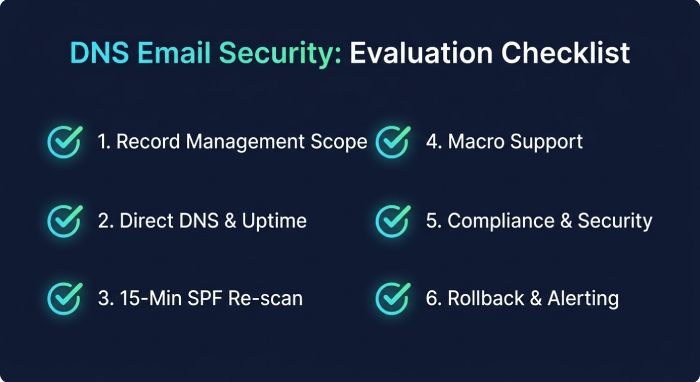
1. What records does the tool manage? Some tools manage only SPF. Others manage SPF + DMARC. Full-stack tools cover SPF, DKIM, DMARC, BIMI, MTA-STS, and TLS-RPT. Match the tool’s scope to your needs.
2. Does the tool serve DNS directly? If yes, the tool’s DNS uptime SLA is critical. If no (the tool only configures records in your own DNS), uptime matters less but operational automation may be limited.
3. What is the re-scan interval for SPF? 15 minutes is the benchmark. Daily or weekly re-scanning leaves multi-hour windows where your flattened record can be stale.
4. Does the tool support macros? For organizations with complex sending stacks (10+ services), macros bypass the 10-lookup limit entirely. Not all tools offer this.
5. What compliance documentation is available? SOC-2 Type II, SLAs, DPAs, SSO/SAML, RBAC, and audit logs are procurement requirements for regulated industries.
6. How does the tool handle failures? DNS rollback, change logs, and alerting on authentication failures are the operational safety net.
Summary Comparison Table
| Tool | Records Managed | Serves DNS | SPF Macros | Re-scan | Uptime SLA | SOC-2 | Starting Price | Best For | Not Ideal For |
|---|---|---|---|---|---|---|---|---|---|
| AutoSPF | SPF | Yes (Cloudflare) | Yes (Premium+) | 15 min | 99.99% | Type II | $37/mo | SPF as dedicated DNS infrastructure with SLA | Solopreneurs, all-in-one seekers, budget startups |
| PowerDMARC | SPF, DKIM, DMARC, BIMI, MTA-STS, TLS-RPT | Yes (PowerSPF) | Yes | Dynamic | Platform SLA | Type II | From $8/mo | Full DNS auth stack from one vendor | Teams needing dedicated SPF SLA |
| EasyDMARC | SPF, DKIM, DMARC, BIMI, MTA-STS, TLS-RPT | Yes (EasySPF) | No | Dynamic | Platform SLA | Check vendor | $35.99/mo | Guided DNS auth management for non-experts | Orgs needing macros or dedicated SPF SLA |
| Cloudflare | SPF, DKIM, DMARC (free DMARC reporting) | Yes (own infrastructure) | No | N/A (manual) | 100% (Enterprise) | Type II | Free (DNS); Email plans vary | Orgs already on Cloudflare DNS wanting integrated auth | Orgs not using Cloudflare for DNS |
| Valimail | SPF, DKIM, DMARC | Yes (patented macros) | Yes | Real-time | Enterprise SLA | Yes | ~$5,000/yr | Enterprise zero-maintenance DNS auth automation | SMBs (enterprise pricing) |
| MxToolbox | SPF, DKIM, DMARC (diagnostics + flattening) | Yes (Delivery Center) | No | Varies | Platform SLA | Check vendor | Free tools; $399/mo (DC+) | DNS diagnostics and health monitoring | Teams needing macros or full DMARC enforcement |
| Redsift OnDMARC | SPF, DKIM, DMARC, BIMI, MTA-STS | Yes (Dynamic SPF) | No | Dynamic | Enterprise SLA | Check vendor | Contact sales | MSPs and enterprises needing API-first DNS auth | Small orgs; no macro support |
Pricing sourced from published vendor pages, G2, Capterra, and TrustRadius as of April 2026.
Tool Reviews
AutoSPF
AutoSPF is a dedicated SPF management platform that serves optimized SPF records through Cloudflare’s global DNS infrastructure with a 99.99% uptime SLA, addressing the most operationally fragile DNS record in the email authentication stack.
For infrastructure and operations teams, AutoSPF’s value proposition is architectural: your SPF record is served through Cloudflare’s anycast DNS network, meaning SPF queries resolve from the geographically nearest Cloudflare point of presence with sub-millisecond latency. The 99.99% uptime SLA covers SPF specifically, not a broader platform where SPF competes for resources with reporting and analytics workloads.
The standard flattening approach re-scans upstream vendor IPs every 15 minutes, catching IP rotations from Google, Microsoft, SendGrid, and others before stale records cause authentication failures. SPF macros on Premium ($97/mo) and Enterprise ($387/mo) plans bypass the 10-lookup limit entirely, using 1-2 DNS lookups regardless of how many sending services are authorized. Macros also provide IP obfuscation, preventing competitors or attackers from enumerating authorized senders by querying your SPF record.
AutoSPF has been in operation since 2018 and serves over 2,000 businesses. SOC-2 Type II certification, signed SLAs, DPAs, NDAs, SSO/SAML, RBAC, audit logs, and DNS rollback are available on Enterprise plans. Setup replaces one DNS TXT record in 60 seconds. According to G2, AutoSPF holds High Performer, Easiest to Use, Best Support, and Easiest Setup badges. DMARC reporting is handled by sister product DMARC Report; DKIM management is handled by the customer’s existing email infrastructure.
Top Features:
- SPF served through Cloudflare’s global anycast DNS network
- 99.99% DNS uptime SLA dedicated to SPF
- 15-minute re-scan intervals catching vendor IP rotations
- True SPF macros for unlimited includes with 1-2 lookups
- IP obfuscation via macros
- DNS rollback for reverting to known-good configurations
- SOC-2 Type II with SLAs, DPAs, SSO/SAML, audit logs
- 60-second copy-paste-replace deployment
Pricing: Plus: $37/mo (1 domain). Premium: $97/mo (5 domains, macros). Enterprise: $387/mo (10 domains, full compliance). 30-day free trial.
Best For: Infrastructure and operations teams that treat SPF as a DNS reliability concern requiring a dedicated uptime SLA, Cloudflare-backed infrastructure, and macro support for complex sending stacks.
How Does It Compare: AutoSPF is the only tool on this list with a dedicated SPF DNS uptime SLA backed by Cloudflare infrastructure. It does not manage DKIM, DMARC, BIMI, or MTA-STS records. Organizations needing full-stack DNS email security management should pair AutoSPF with a DMARC reporting platform.
PowerDMARC
PowerDMARC is a full-stack email authentication platform managing all six DNS email security records (SPF, DKIM, DMARC, BIMI, MTA-STS, TLS-RPT) from a single dashboard, with PowerSPF using hosted macros for SPF optimization and AI-powered DMARC reporting for comprehensive DNS authentication management.
For DNS-focused buyers, PowerDMARC’s appeal is consolidation: manage every authentication DNS record from one platform. The AI-powered DMARC reporting transforms raw XML into eight dashboard views identifying sending sources, authentication failures, and spoofing attempts. PowerDMARC carries SOC-2 Type II and ISO 27001 certifications. On G2, it holds a 4.9/5 rating across 238 reviews. According to G2 feedback, pricing can scale upward with many domains.
Top Features:
- Full-stack DNS record management: SPF, DKIM, DMARC, BIMI, MTA-STS, TLS-RPT
- PowerSPF hosted macros for unlimited SPF includes
- AI-powered threat intelligence and DMARC reporting
- SOC-2 Type II and ISO 27001 certified
- MSP/MSSP multi-tenancy with white-label
Pricing: From $8/mo. Enterprise pricing is quote-based. 15-day free trial.
Best For: Organizations wanting comprehensive DNS email security management from a single platform with full protocol coverage.
How Does It Compare: Most complete single-vendor DNS auth management. The uptime SLA covers the platform broadly rather than SPF specifically. Organizations needing a dedicated SPF DNS uptime guarantee may prefer pairing a specialist SPF tool with PowerDMARC for reporting.
EasyDMARC
EasyDMARC is a user-friendly email authentication platform with EasySPF for dynamic SPF flattening, guided DMARC enforcement workflows, and managed DNS record publishing through connected DNS providers, designed for teams without deep DNS expertise.
The one-click DMARC deployment feature pushes DNS records directly to connected providers (including Cloudflare) without requiring manual DNS editing. This removes the operational risk of mis-editing zone files. EasySPF handles SPF flattening but does not offer macros. On G2, users praise the clean interface and guided setup. According to independent reviewers, pricing escalates with domain count and email volume.
Top Features:
- One-click DNS record deployment through connected providers
- EasySPF dynamic flattening for the 10-lookup limit
- Guided DMARC enforcement workflow
- MTA-STS and TLS-RPT management
- Managed DKIM through EasySender
Pricing: Free (1 domain). Plus: $35.99/mo. Premium: $71.99/mo. Enterprise: custom.
Best For: Teams without dedicated DNS administrators that want guided, low-risk DNS authentication management.
How Does It Compare: Most approachable for non-DNS-experts. One-click DNS deployment reduces misconfiguration risk. No macro support limits scalability for complex sending stacks.
Cloudflare (Email Security DNS)
Cloudflare offers free DMARC reporting and email security DNS management as part of its DNS platform, providing integrated authentication record management for organizations already hosting their DNS on Cloudflare.
Cloudflare launched DMARC management tools that leverage its position as the DNS provider to offer tight integration between DNS record management and email authentication. For organizations already using Cloudflare for DNS, this eliminates the need for a separate DMARC monitoring tool for basic visibility. Cloudflare’s DNS infrastructure carries a 100% uptime SLA on Enterprise plans, making it among the most reliable DNS platforms available.
However, Cloudflare does not offer SPF flattening, macros, or active SPF management. Its email security features are DNS record management and DMARC reporting, not SPF optimization. Organizations exceeding the 10-lookup limit still need a dedicated SPF management tool.
Top Features:
- Free DMARC reporting integrated with Cloudflare DNS
- 100% uptime SLA on Enterprise DNS plans
- Global anycast DNS network with sub-millisecond resolution
- Integrated DNS record management for all authentication records
Pricing: Free (basic DNS + DMARC reporting). Paid plans for advanced features. Enterprise DNS with 100% SLA is quote-based.
Best For: Organizations already on Cloudflare DNS that want basic DMARC visibility without adding another vendor.
How Does It Compare: Strongest DNS infrastructure on this list but limited email security tooling. No SPF flattening, no macros, no guided DMARC enforcement workflow. Best used as the DNS foundation paired with specialized tools (AutoSPF for SPF, DMARC Report or PowerDMARC for reporting).
Valimail
Valimail is an enterprise-grade DMARC automation platform with patented macro-based SPF management and zero-DNS-maintenance enforcement, designed for large organizations that want automated authentication management after a single initial DNS change.
Valimail’s Instant SPF uses a patented macro approach. After a one-time DNS change, all subsequent SPF and DKIM changes are managed through Valimail’s platform without further DNS editing. Valimail is FedRAMP authorized, which is relevant for government and defense organizations. Acquired by DigiCert in 2025. On G2, Valimail holds a 4.6/5 rating across 441 reviews. According to independent analysis, pricing starts at approximately $5,000/year.
Top Features:
- Patented macro-based SPF (Instant SPF)
- Zero-DNS-maintenance after initial setup
- FedRAMP authorized for government compliance
- Automated DMARC enforcement with intelligent sender identification
Pricing: Monitor: free. Enforce: approximately $5,000/year. Enterprise: quote-based.
Best For: Large enterprises and government organizations needing automated DNS authentication with FedRAMP compliance.
How Does It Compare: Deepest automation and strongest compliance credentials (FedRAMP). Enterprise pricing excludes SMBs. According to G2 feedback, the automation-first approach is not ideal for ops teams wanting granular DNS control.
MxToolbox
MxToolbox is the industry-standard DNS diagnostic platform providing blacklist monitoring, SPF flattening, DNS health checks, and email delivery analytics as part of its Delivery Center suite, used by IT administrators worldwide for nearly two decades.
For DNS-focused buyers, MxToolbox’s strength is diagnostics: the free SuperTool provides instant DNS lookups, SPF validation, blacklist checks, and MX record analysis. The paid Delivery Center adds SPF flattening, ongoing monitoring, and compliance reporting. MxToolbox does not offer macros or guided DMARC enforcement workflows.
Top Features:
- Free DNS diagnostic tools (SuperTool, SPF Checker, Blacklist Monitor)
- SPF flattening in Delivery Center Plus
- Blacklist monitoring across 100+ databases
- Email delivery analytics and compliance checks
Pricing: Free diagnostic tools. Delivery Center Plus: $399/mo.
Best For: IT administrators and ops teams that need comprehensive DNS diagnostics alongside SPF management.
How Does It Compare: Strongest DNS diagnostics. The $399/mo reflects the full diagnostic suite. No macros, limited DMARC enforcement guidance. Best paired with a DMARC platform for enforcement workflows.
Redsift OnDMARC
Redsift OnDMARC is an enterprise email security platform with Dynamic SPF, full REST API, and purpose-built multi-tenant architecture, designed for organizations and service providers managing DNS email authentication at scale with API-driven automation.
Dynamic SPF addresses the 10-lookup limit. The REST API enables infrastructure teams to integrate DNS authentication management into Terraform, Ansible, or other infrastructure-as-code tools. According to Redsift’s published data, organizations reach DMARC enforcement in an average of 6-8 weeks.
Top Features:
- Dynamic SPF for the 10-lookup limit
- Full REST API for infrastructure-as-code integration
- Multi-tenant platform for service providers
- Full protocol coverage: DMARC, BIMI, MTA-STS
Pricing: Contact Redsift for pricing.
Best For: Enterprise ops teams and service providers needing API-first DNS authentication management integrated into existing infrastructure tooling.
How Does It Compare: Strongest API depth for infrastructure integration. No macro support. More complex than necessary for small organizations.
How to Choose: Decision Framework
| Your Primary Need | Recommended Tool |
|---|---|
| Dedicated SPF DNS reliability with Cloudflare SLA | AutoSPF |
| Full-stack DNS auth management from one platform | PowerDMARC |
| Guided DNS auth for non-expert teams | EasyDMARC |
| Basic DMARC visibility on existing Cloudflare DNS | Cloudflare (free DMARC) |
| Zero-maintenance DNS auth automation for enterprise | Valimail |
| DNS diagnostics and health monitoring | MxToolbox |
| API-first DNS auth for infrastructure-as-code | Redsift OnDMARC |
| SPF macros for complex sending stacks | AutoSPF, PowerDMARC, or Valimail |
| FedRAMP compliance for government | Valimail |
| SOC-2 + SLAs + DPAs for regulated industries | AutoSPF Enterprise or Valimail |
Role-Based Buyer Guidance
For Infrastructure and Platform Engineers: Evaluate DNS email security tools the same way you evaluate any infrastructure dependency: uptime SLA, failover architecture, API access, and what happens when the vendor has an incident. AutoSPF’s Cloudflare-backed 99.99% SLA and Redsift’s REST API are the benchmarks for engineering evaluation. Treat SPF as infrastructure, not a security project.
For Security Engineers and CISOs: Focus on DMARC enforcement (reaching p=reject), DKIM key rotation schedules, and MTA-STS deployment. The security value is in enforcement, not monitoring. PowerDMARC and Valimail provide the most comprehensive enforcement workflows. Pair with AutoSPF if SPF needs its own infrastructure-grade SLA.
For IT Operations and System Administrators: Prioritize DNS diagnostics, change auditing, and rollback capability. MxToolbox provides the strongest diagnostic toolkit. AutoSPF provides DNS rollback for SPF changes. Ensure your tooling provides change logs for every DNS record modification.
For Compliance Teams: Map your compliance requirements (PCI DSS v4.0, CISA BOD 18-01, cyber insurance) to specific DNS records. Ensure your tools provide SOC-2 Type II, SLAs, DPAs, and audit logs. Valimail’s FedRAMP authorization is uniquely relevant for government compliance.
Implementation Considerations
Start with an audit. Run all your domains through free DNS diagnostic tools (AutoSPF SPF Checker, MxToolbox SuperTool, EasyDMARC DMARC Checker) to identify current DNS misconfigurations before deploying any tool.
Lower TTLs before making changes. Before modifying any DNS record, lower the TTL to 300 seconds (5 minutes). This ensures that if a change causes problems, the old record is flushed from caches quickly. Raise TTLs back to standard values (3600 or higher) after confirming the change is correct.
Deploy SPF management first. SPF is the most fragile and most commonly broken DNS record. Fixing SPF unlocks DMARC alignment and clears the path to enforcement. Deploy an SPF management tool before investing in DMARC reporting or DKIM automation.
Plan DKIM key rotation from day one. Establish a rotation schedule (every 6 to 12 months), use dual-key publication (new key live before old key retired), and document the process in your runbook. Keys that never rotate become a security liability.
Move DMARC to enforcement incrementally. Start at p=none, monitor reports for 2 to 4 weeks, fix authentication issues, move to p=quar_antine, monitor for false positives, then move to p=reject. Do not skip steps._
Frequently Asked Questions
What happens if my DNS provider goes down?
If the DNS infrastructure serving your SPF, DKIM, or DMARC records is unavailable, receiving servers cannot verify your email authentication. SPF and DKIM checks fail, and DMARC cannot be evaluated. This is why DNS uptime SLAs matter: 99.99% uptime means a maximum of approximately 53 minutes of downtime per year.
Can I use Cloudflare for DNS and AutoSPF for SPF management simultaneously?
Yes. AutoSPF serves your flattened or macro-based SPF record through its own Cloudflare-backed DNS. Your other DNS records (MX, DKIM, DMARC, A, CNAME) continue to be served by your primary DNS provider, whether that is Cloudflare, AWS Route 53, or another service. The two operate independently.
Should I manage DKIM keys through a tool or through my email provider?
Most email providers (Google Workspace, Microsoft 365, SendGrid) generate and publish DKIM keys as part of their setup process. For organizations using a single provider, the provider’s native DKIM management is sufficient. For organizations using multiple providers, a centralized DKIM management tool reduces the operational burden of key rotation across services.
Is DNSSEC necessary for email authentication?
DNSSEC adds cryptographic signatures to DNS responses, preventing forged DNS records. While not required by SPF, DKIM, or DMARC, DNSSEC strengthens the entire authentication framework by ensuring that DNS responses have not been tampered with. Its adoption remains limited but is recommended for high-security environments.
How do I know if my SPF record is broken right now?
Run your domain through a free SPF checker (such as autospf.com/tools/spf-checker or mxtoolbox.com). If the tool reports a PermError or a lookup count exceeding 10, your SPF record is broken and every outbound email is failing SPF authentication.
We hope this guide has helped you evaluate DNS security tools for your email infrastructure. If your SPF record exceeds 10 DNS lookups, fixing that is a 60-second deployment. Try AutoSPF free for 30 days at autospf.com/pricing, or check your SPF record instantly at autospf.com/tools/spf-checker. No credit card required.
This guide is maintained and updated regularly. Last updated: April 2026. If you believe any characterization in this guide is inaccurate, please contact us at autospf.com/contact-us and we will investigate and correct it promptly.
Topics
General Manager
General Manager of DuoCircle. Product strategy and commercial lead for AutoSPF's 2,000+ customer base.
LinkedIn Profile →